
A post fails on Friday night. You are off. Your office manager would have fixed it in two minutes, but she never got the email. Now she can.
Get your team on the email
Step 1
Add your teammate to the workspace. Open Workspace in the left menu, then the Team tab, then click Invite Member. See Invite a teammate to your workspace.
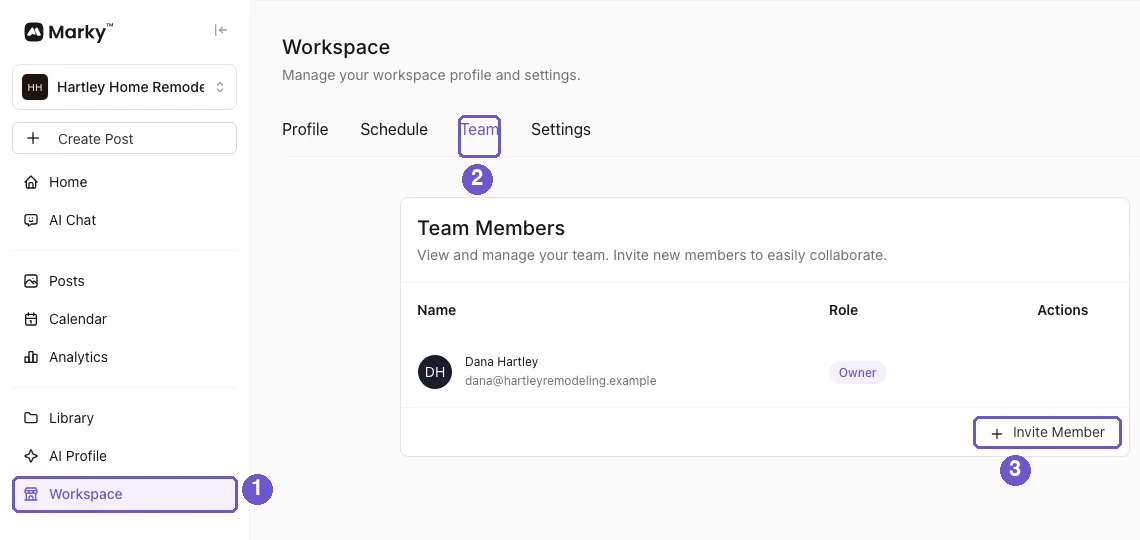
In the picture: 1 is Workspace, 2 is the Team tab, 3 is Invite Member. The owner and admins of your account get the email too.
Step 2
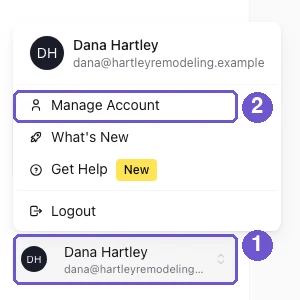
Ask them to click their name at the bottom left and open Manage Account, then the Notifications tab.
Step 3
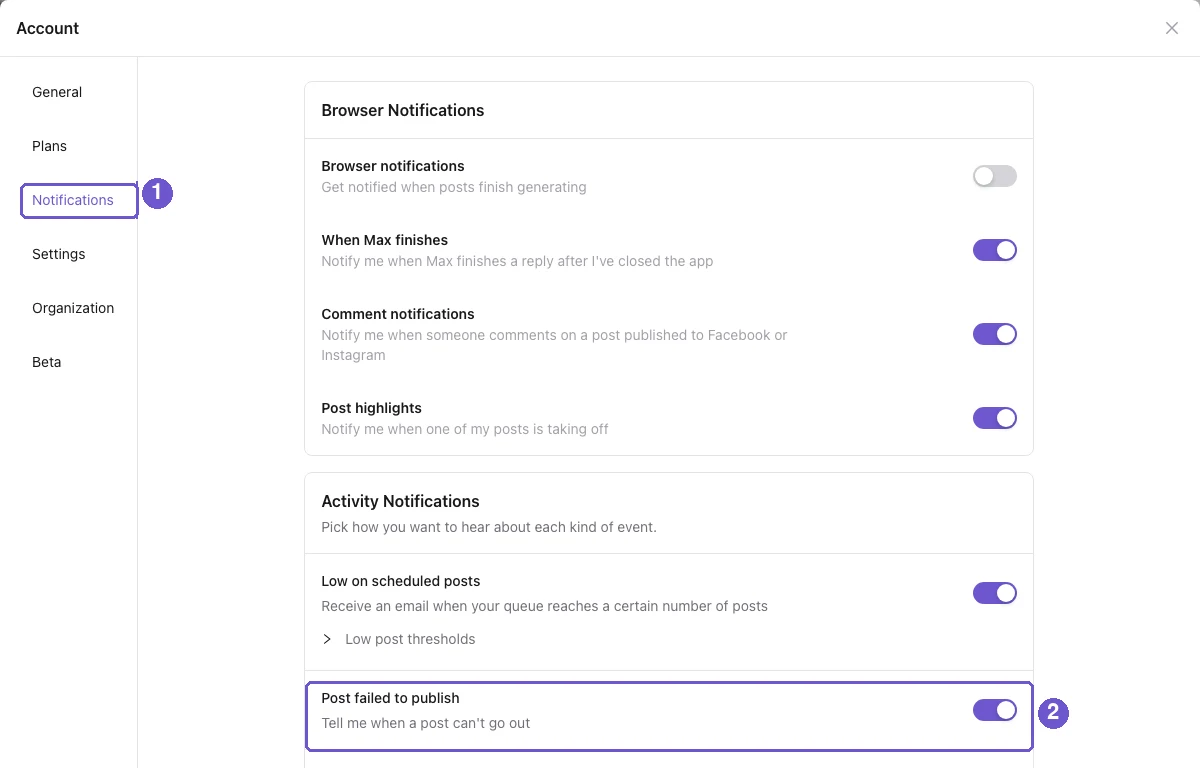
Under Activity Notifications, check that the switch next to Post failed to publish is on. It is the email switch, and it is on by default.
What the email says
One email per post. It lists each place that failed and why, so your team knows what to fix. Anyone who does not want it can turn their own switch off. That does not change anyone else's.
What you get
More than one person is watching your posts. A failed post gets fixed fast, even when you are busy.