How to Use the New Full Screen Editor in Marky AI
You can watch it here as well
Editing Your Posts in Marky
You can edit both the design and caption of any post before publishing.
Open a Post
- Go to Posts
- Click on the post you want to edit
- You can edit the caption and design from here
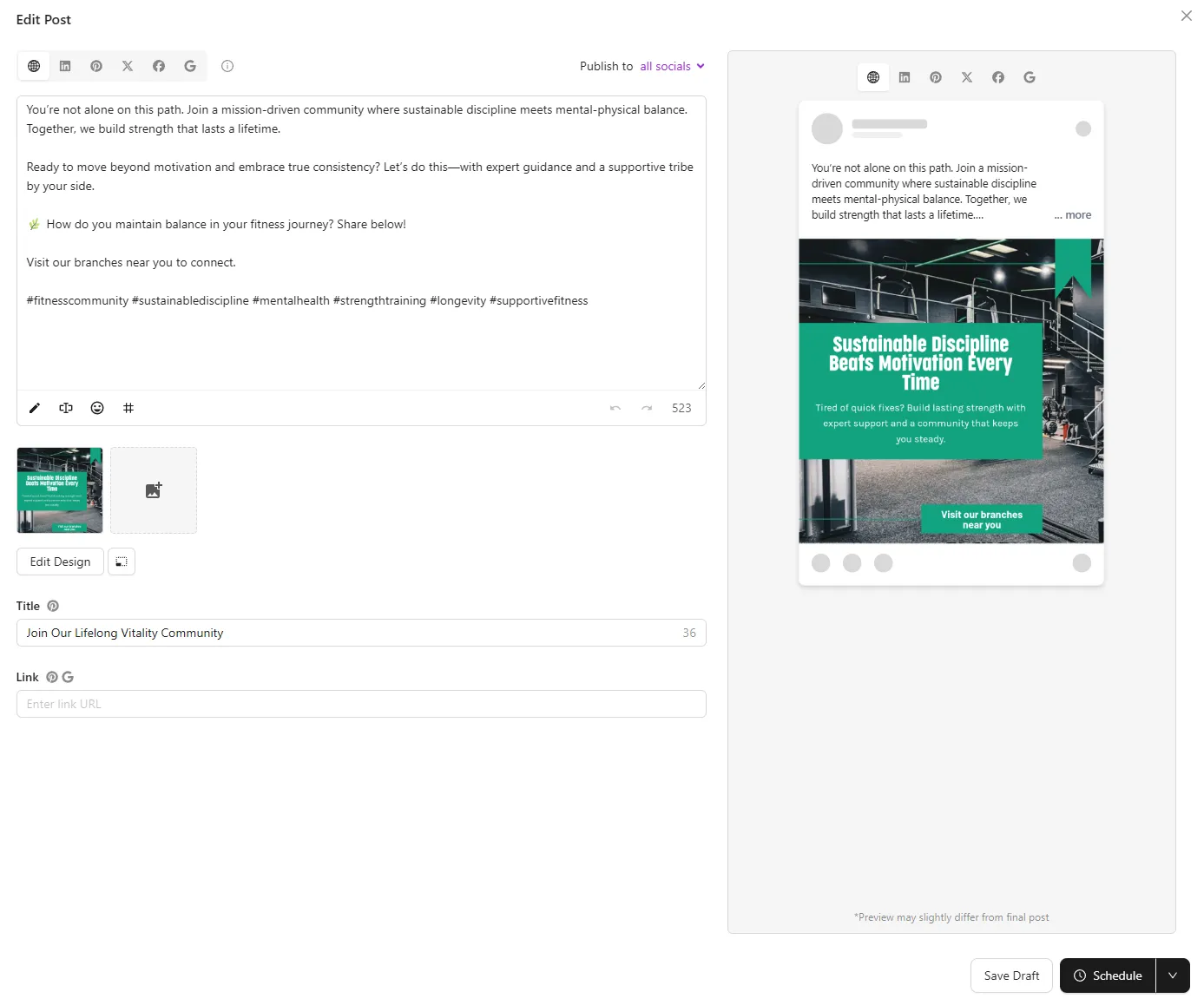
Editing the Design
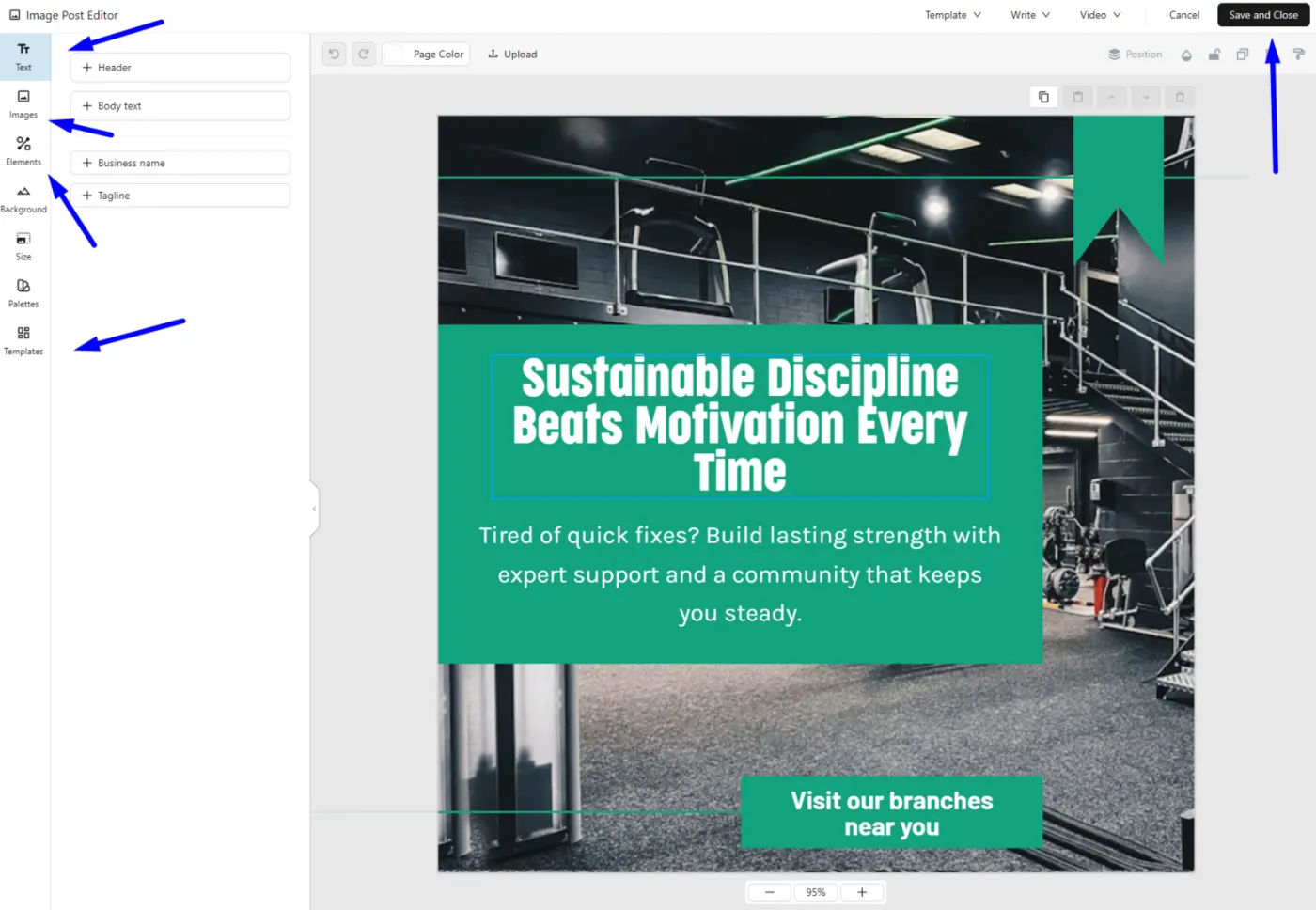
Edit Design Elements
- Click Edit design
- Change images, text, colors, and layout
- Resize and reposition elements as needed
- Click Save & close when done
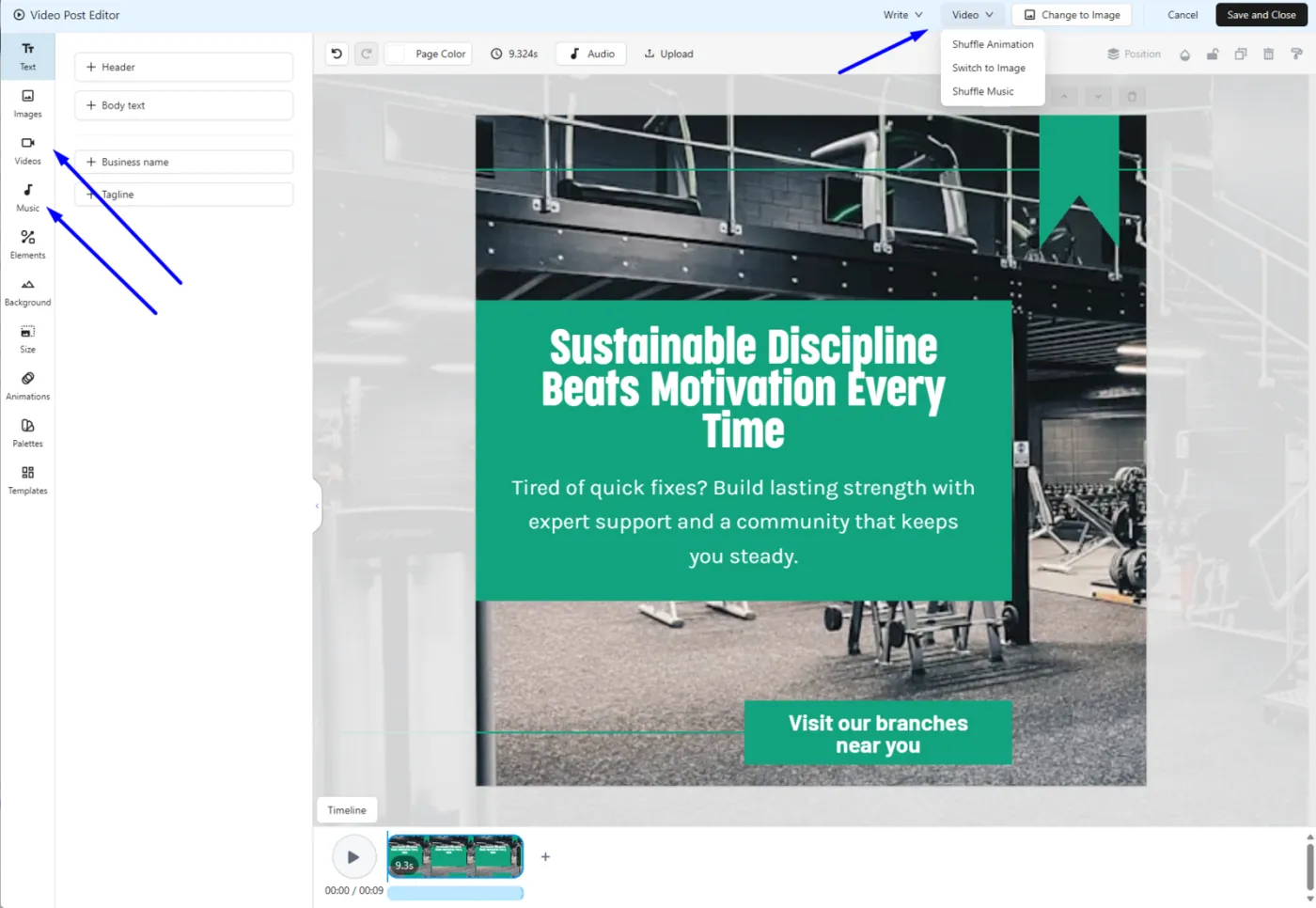
Animate Your Post
- Click Animate
- Apply automatic animations and music
- Customize animation style or shuffle for a new version
- Switch back to static if preferred
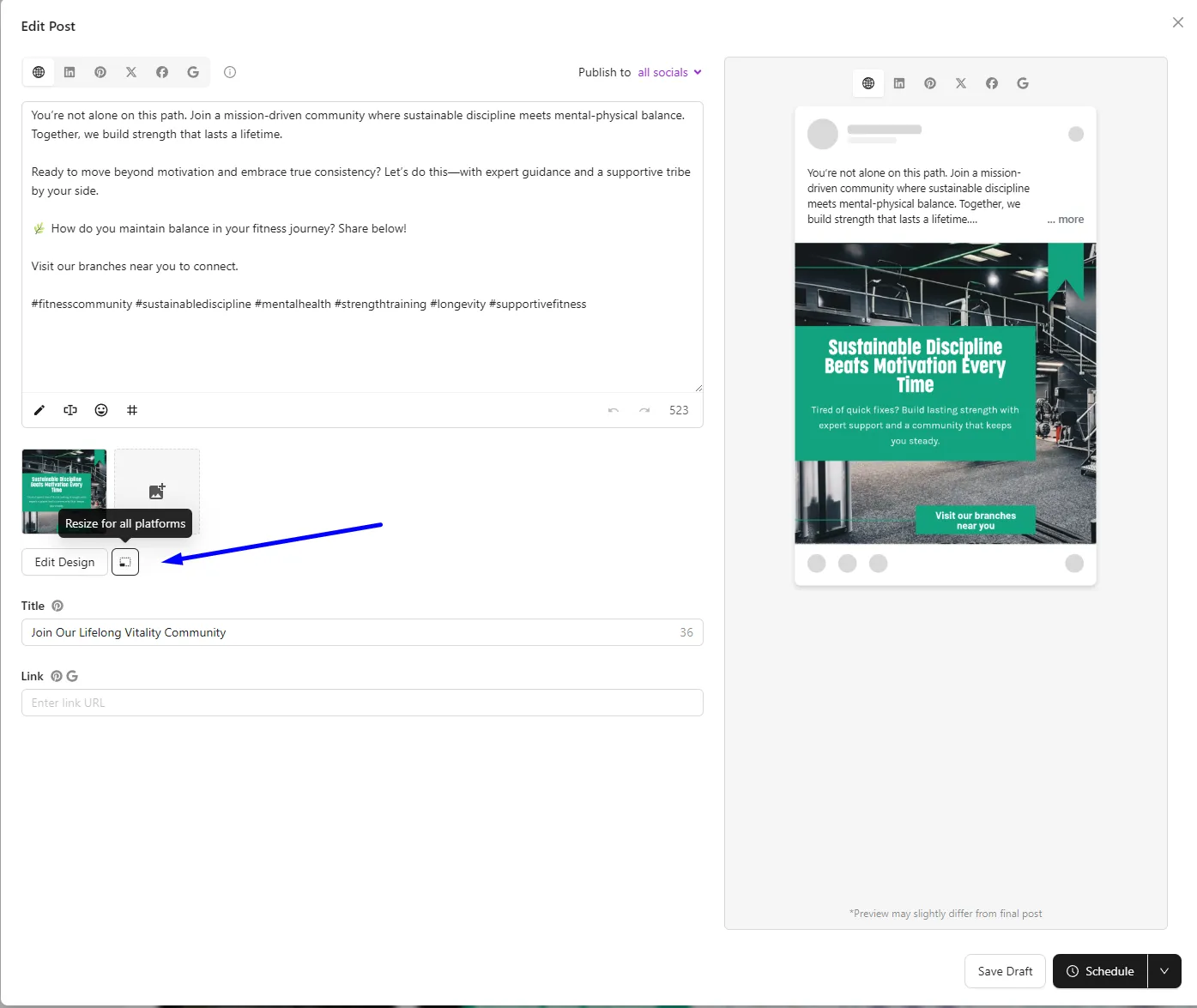
Resize for All Platforms
- Click Resize for all platforms
- Marky automatically adjusts the design for each connected social channel
Editing the Caption
Manual Edits
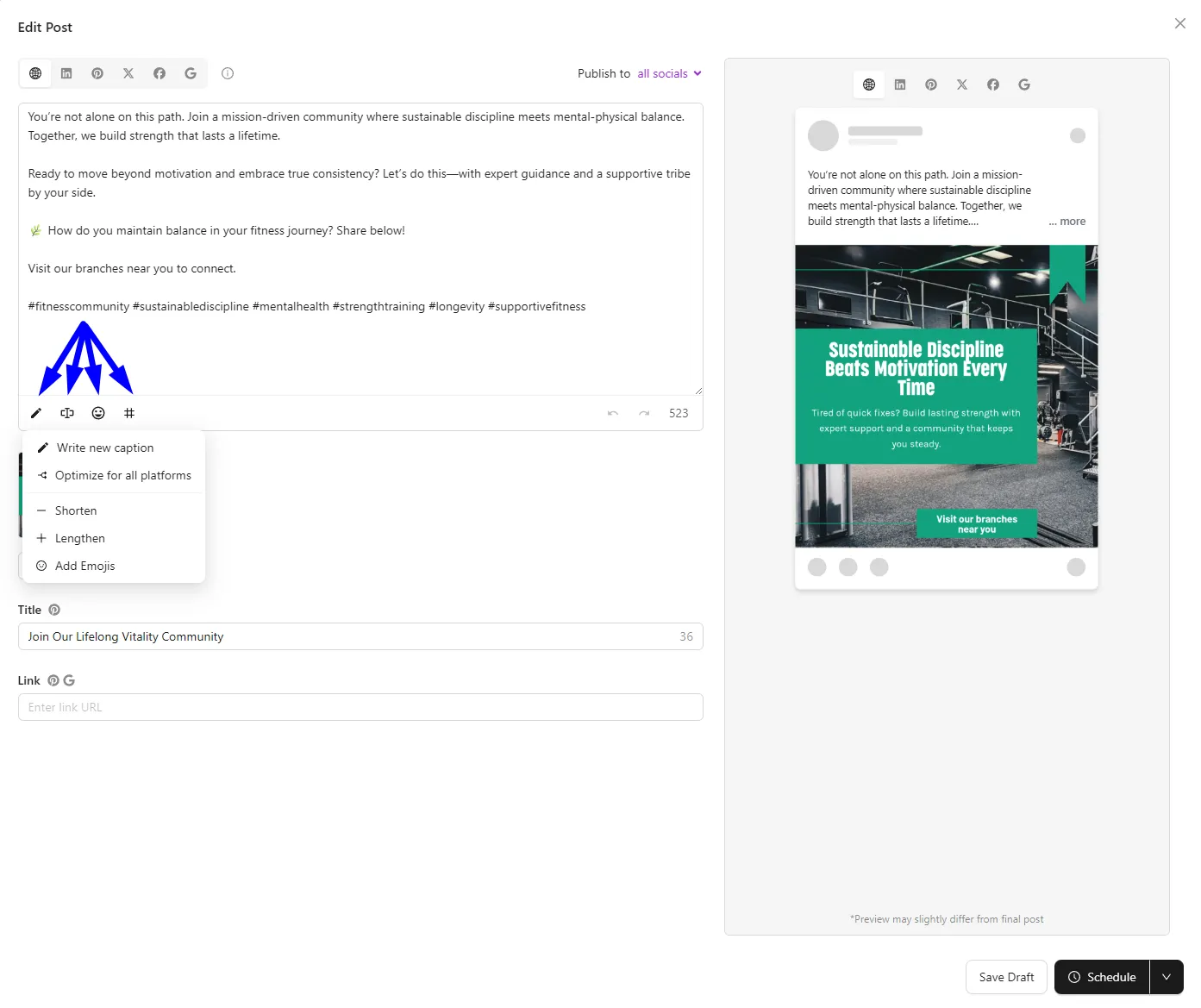
- Edit text directly in the caption box
Quick Edit Options
- Use Quick edit to shorten or lengthen captions
AI Modify
- Click Modify
- Add instructions like “make it funnier” or “add emojis”
- AI rewrites the caption for you
Customize Per Platform
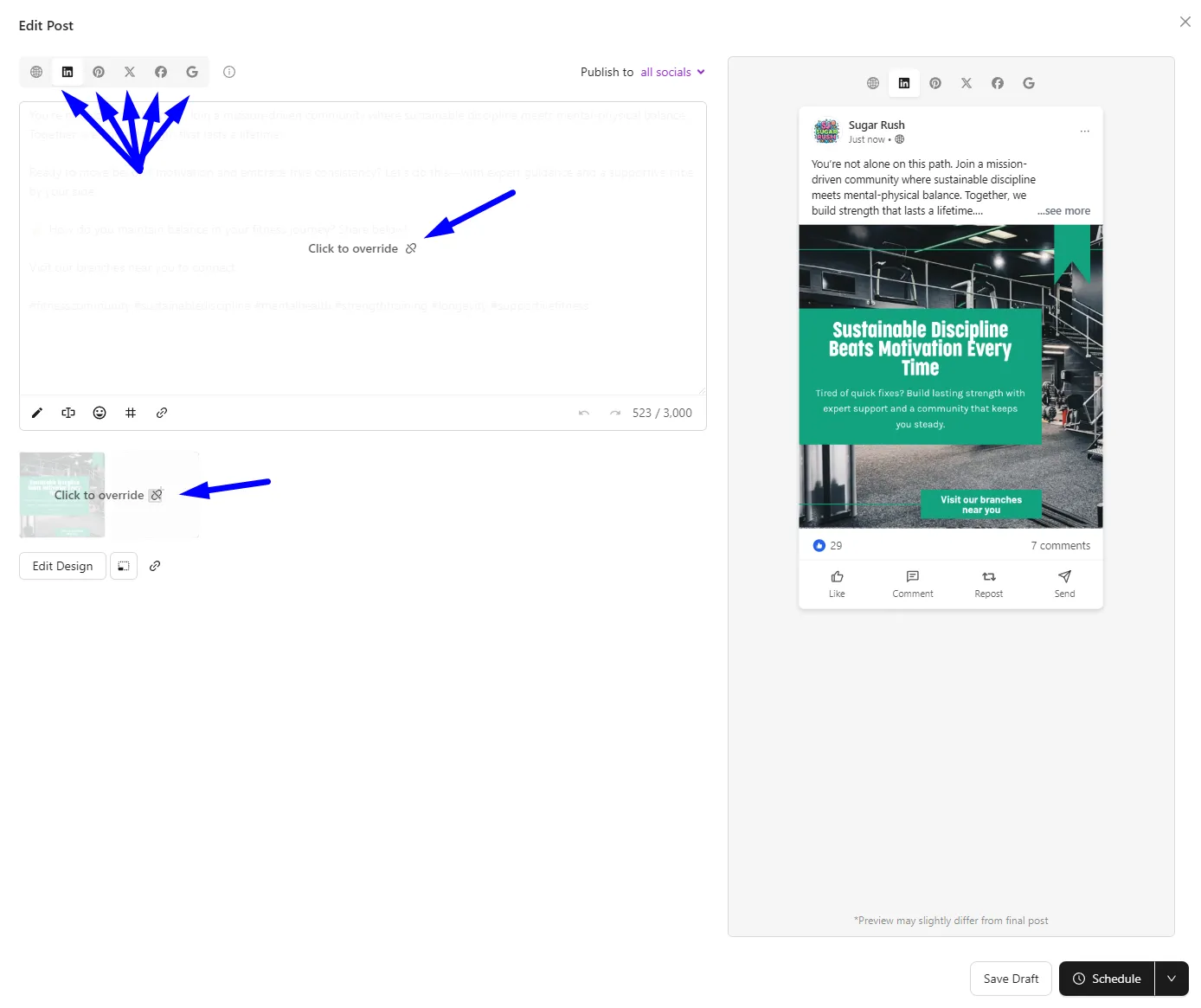
Create Overrides
- Click a specific platform (Facebook, Instagram, etc.)
- Select Override
- Edit caption or design just for that platform
- Platforms with overrides show a purple indicator
Enjoy using the Full Screen Editor to enhance your content creation experience!
For more information or assistance, please reach out to me or our support team!
Josiah, CEO