
You run a lawn care business. A neighbor asks on your post, "Do you do weekends?" If you miss it, you miss the job. Now the comments on your Facebook and Instagram posts show up in Marky, under the post.
How to answer a comment
Step 1
Go to Posts and tap Published.
Step 2
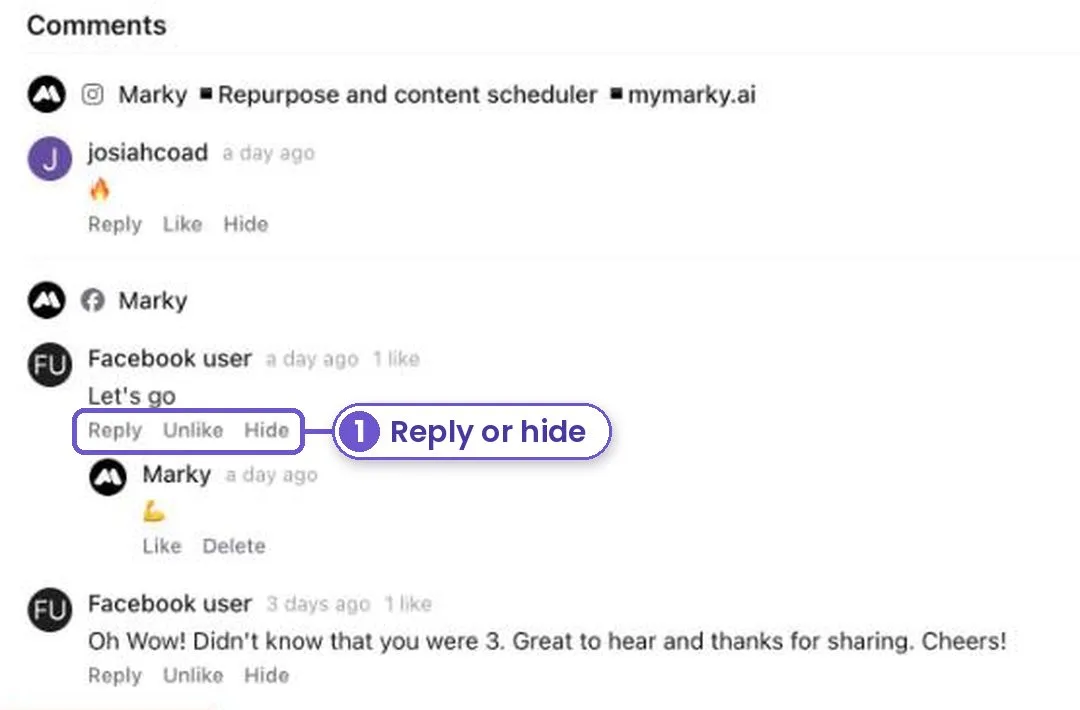
Open a post. Under its reach and engagement you'll see Comments, one block for each Facebook page and Instagram account it went to.
Step 3
Tap Reply to answer as your page. Tap Hide to hide a rude or spam comment. Tap Like to say thanks without words.
If Marky asks you to reconnect, tap the link. It takes a minute and turns comments on for that account.
What you get
Every question gets an answer, from the same place you made the post.