
You write a blog post on your website, like "5 signs your roof needs work". Then it sits there, because you don't have time to share it. Now Marky can watch your blog and write a post every time a new article comes out.
How to set it up
Step 1
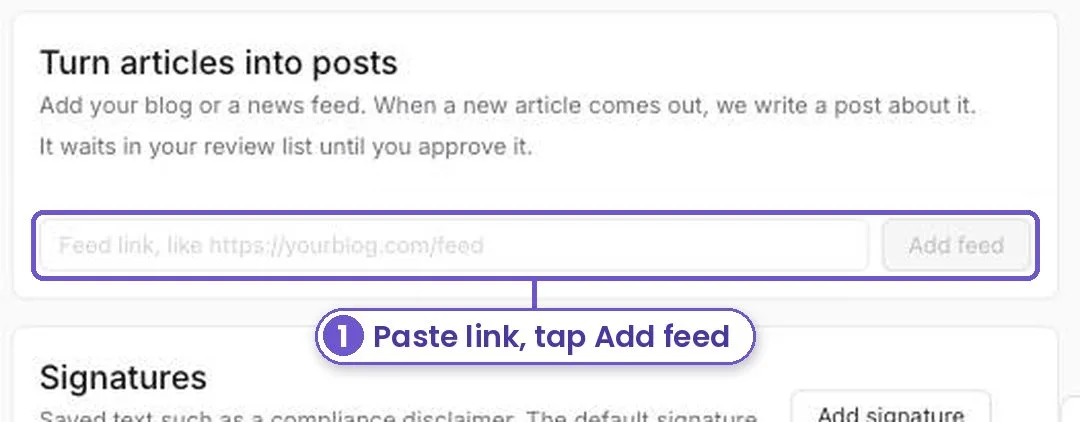
Open Workspace settings and find Turn articles into posts. If you aren't logged in, log in and it opens right there. The card shows on paid plans.
Step 2
Paste your blog's feed link. It often ends in /feed or /rss. Tap Add feed.
Step 3
When a new article comes out, a post about it shows up in your review list. Nothing goes out until you approve it.
You can turn a feed off any time, and pick which accounts its posts go to.
What you get
Every article you write gets shared, and you only have to tap Approve.