How to Automatically Write Social Media Captions
The Write For Me feature helps you quickly generate captions for your social media posts. If you already have a photo or video but do not know what to write, this feature can help turn your content into a caption automatically.
Watch the video tutorial on our Facebook Page
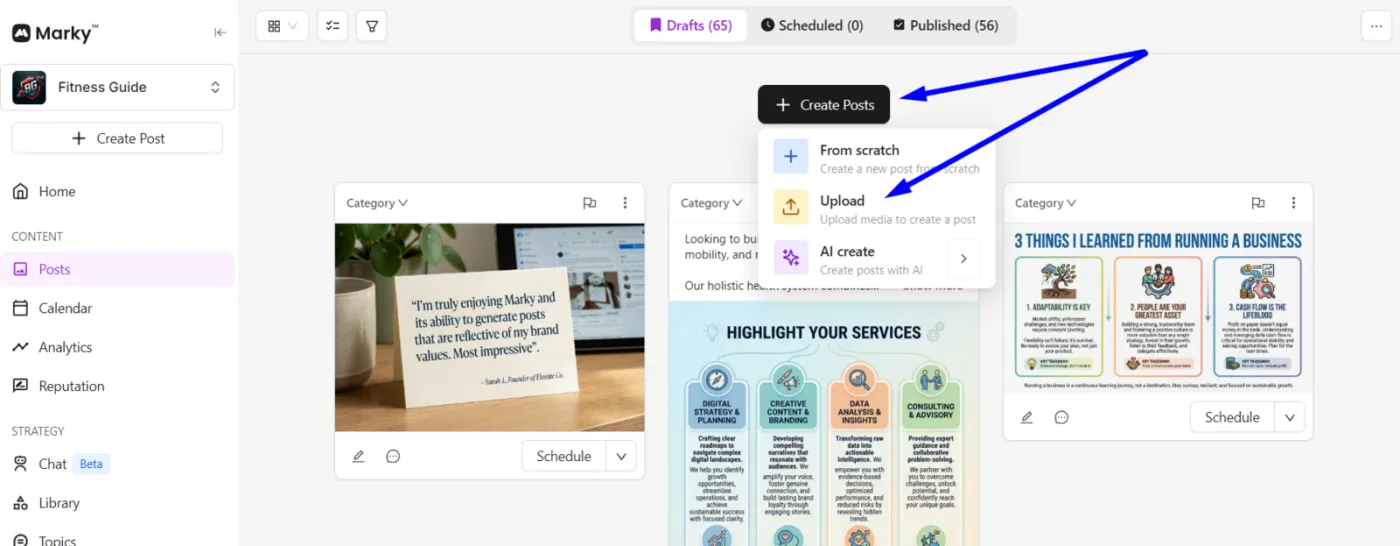
1. Upload Your Content
Start by uploading the content you want to post.
This can include:
- A photo
- A video
Once your content is uploaded, you can begin creating your post.
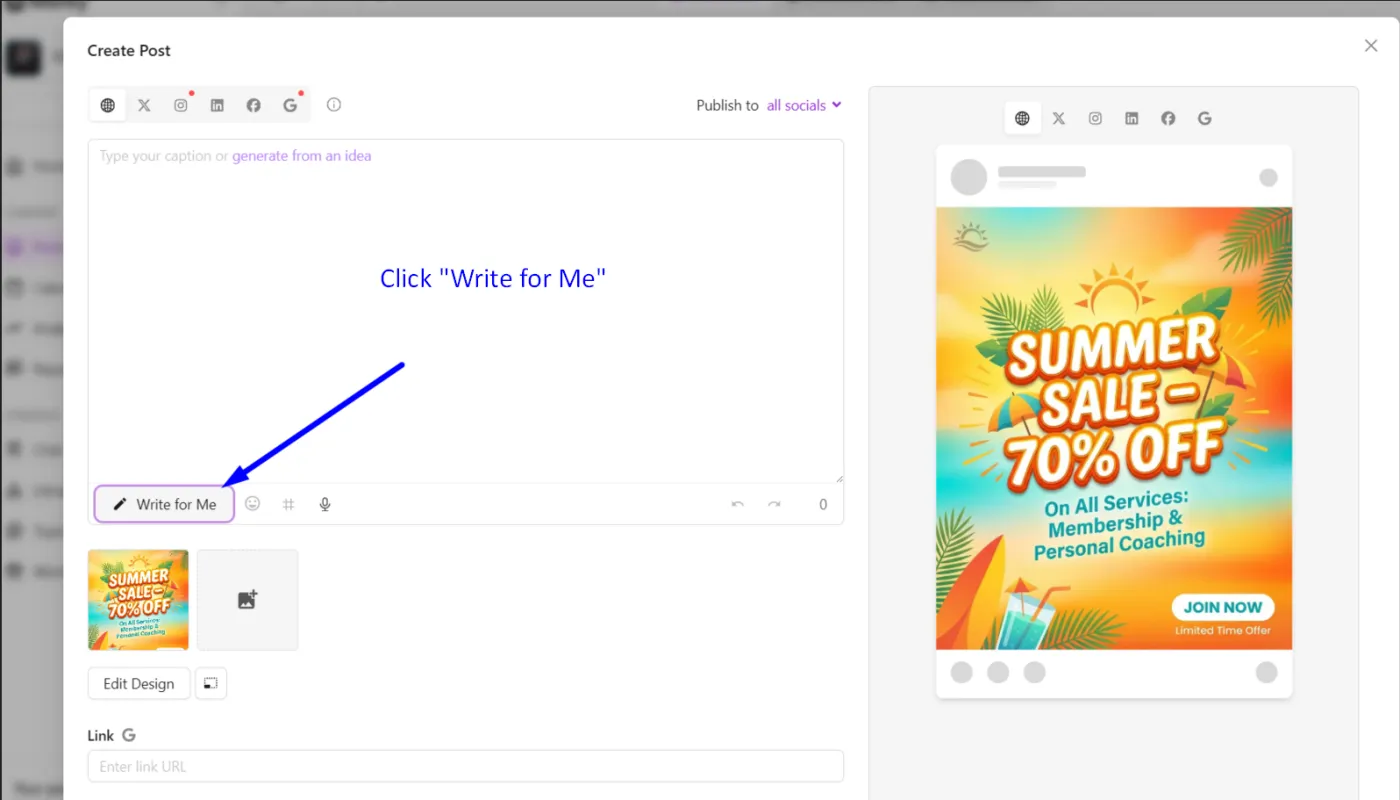
2. Click “Write For Me”
If you are unsure what caption to write, click the Write For Me option.
Marky will:
- Analyze your uploaded content
- Pull a transcript from your video (if applicable)
- Generate a caption suggestion
This helps you quickly turn your content into a complete social media post.
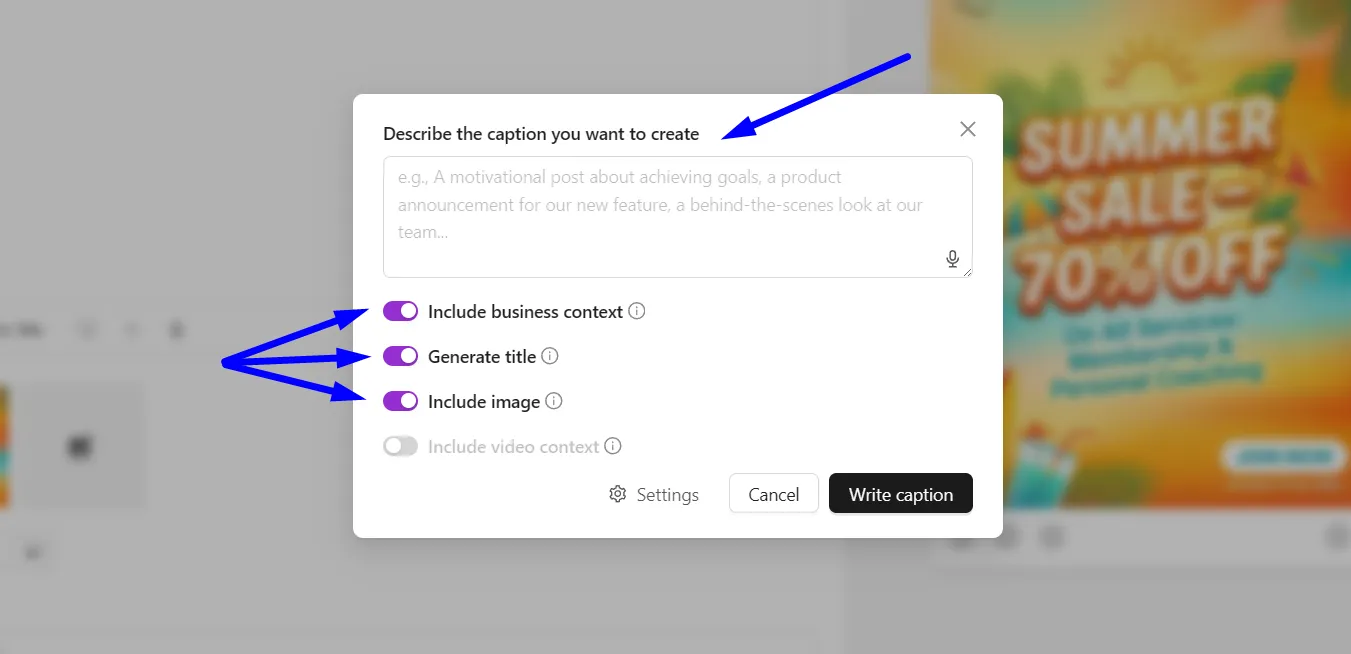
3. Give Instructions (Optional)
You can guide the caption that Marky generates.
For example, you can:
- Suggest the tone
- Ask for a question at the end
- Include specific hashtags
You can also let Marky generate the caption automatically.
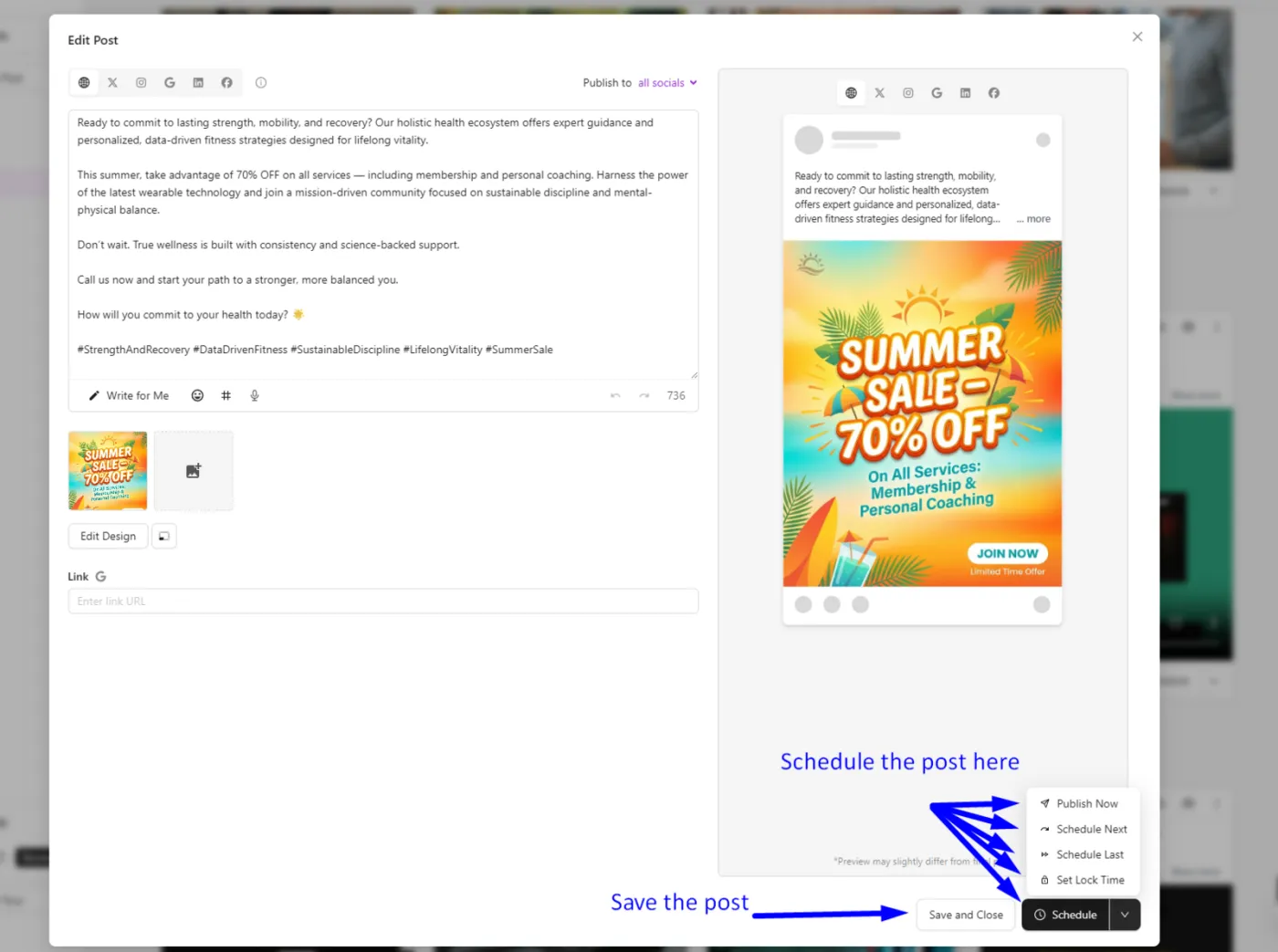
4. Review and Finish Your Post
Once the caption is generated, you can:
- Edit the caption
- Add additional details
- Schedule or publish your post
You already created the content. Write For Me helps you finish the post faster.
Watch the video tutorial on our Facebook Page
If you have any questions or need further assistance, don’t hesitate to reach out! Happy posting!
Josiah, CEO