
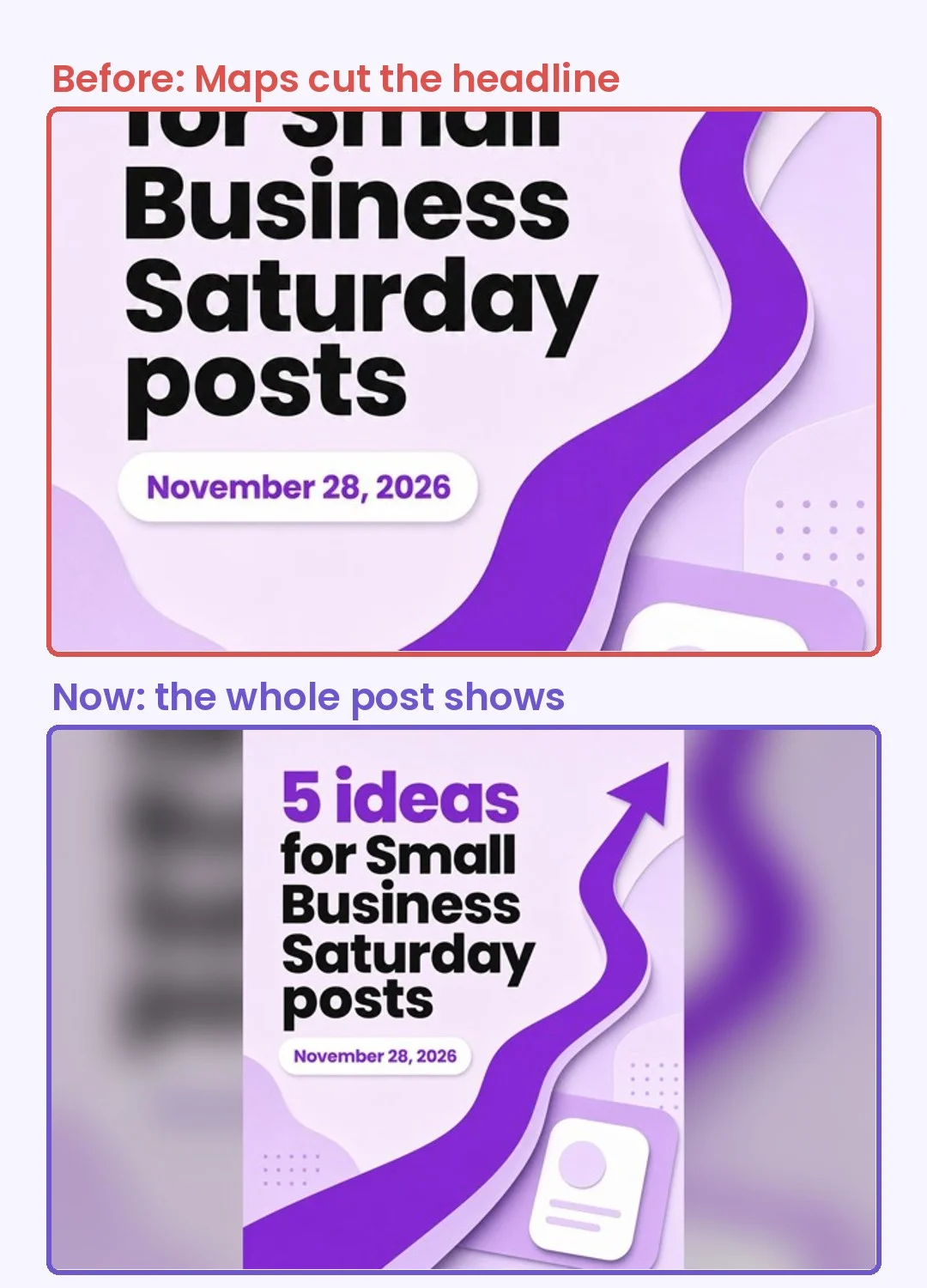
When someone finds your business on Google Maps, they see your latest post in a small wide box. Google crops the picture to fit that box. For square and tall posts, it cut off the top and bottom, which is where the headline usually is. We checked 480 recent Google Business posts: the headline was cut on about 1 in 4 of them.
What changed
Step 1
Make and schedule your post as usual, in any shape. You don't need to do anything new.
Step 2
When the post goes to Google, Marky adds space to the left and right so it fits the wide box. Your picture is not stretched or cropped. Plain backgrounds get their own color on the sides; photos get a soft blurred copy.
Step 3
On Maps, people now see your whole post, headline included. In the same 480 posts, cut headlines dropped from about 24% to under 1%.
This only changes the copy that goes to Google Business. Your Instagram, Facebook and other posts stay the same shape.
What you get
Your offer reads clearly to the people searching for you on Maps, right when they're choosing who to call.