See what all your posts added up to

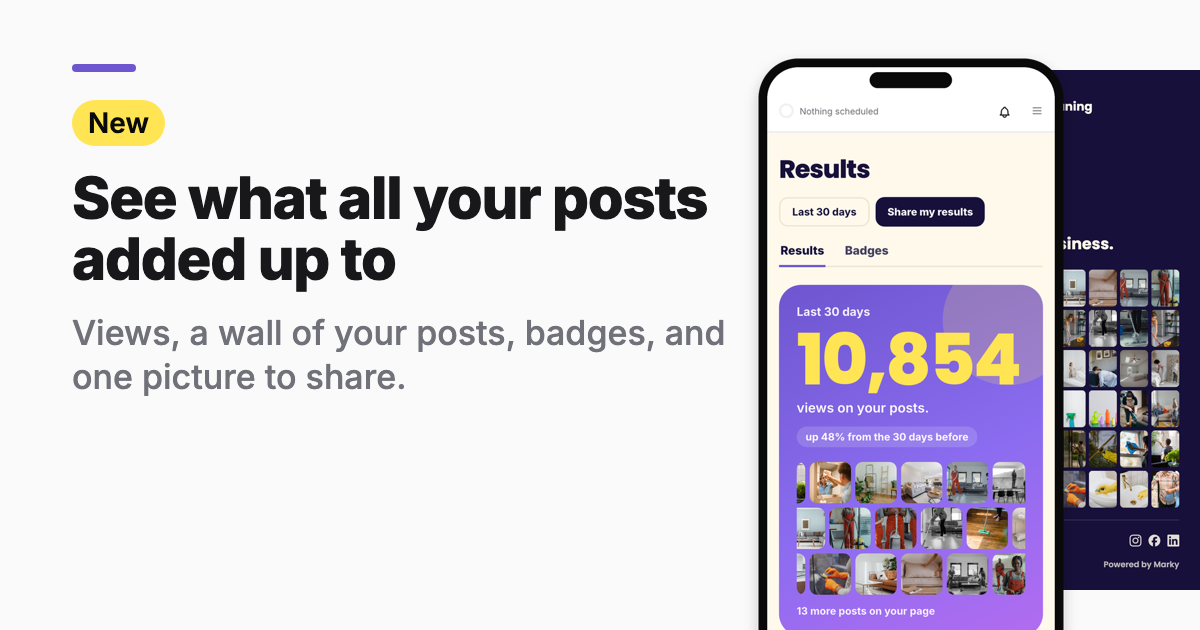
Who it's for: You've been posting for weeks or months. You want to know what all that work added up to, and show it to someone.
The new Results page puts it on one screen: how many people saw your posts, a wall of the posts you put out, and the badges you earned along the way. You can save it all as one picture to share.
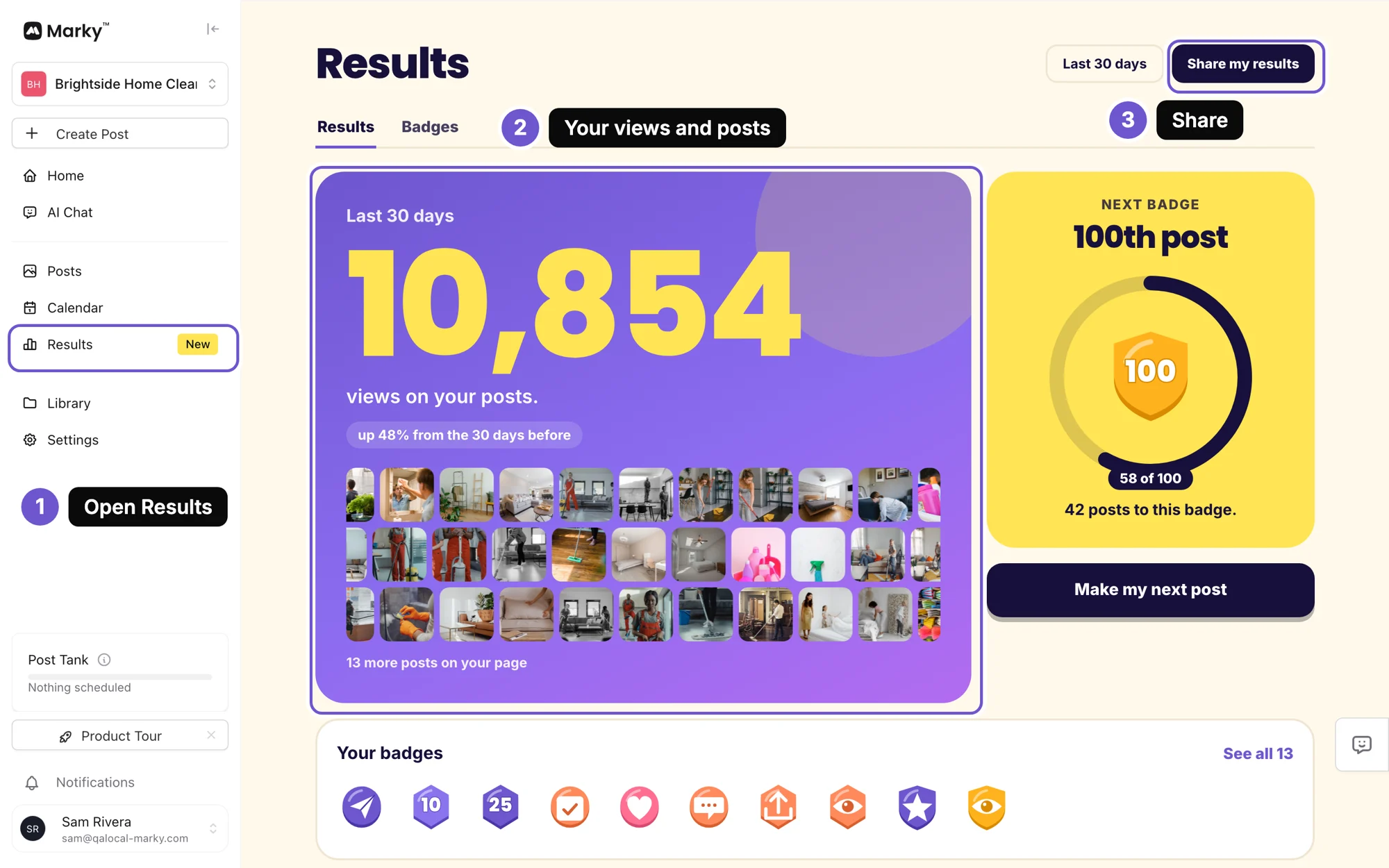
1. Open Results
On a computer, tap Results in the menu on the left. On your phone, tap the menu, then Results.
2. See your views and your posts
The big number is how many times people saw your posts in the last 30 days. Under it you see whether that is up or down from the 30 days before.
The pictures under the number are your own posts, one tile per post. Tap Make my next post to keep it going.
3. Earn badges as you post
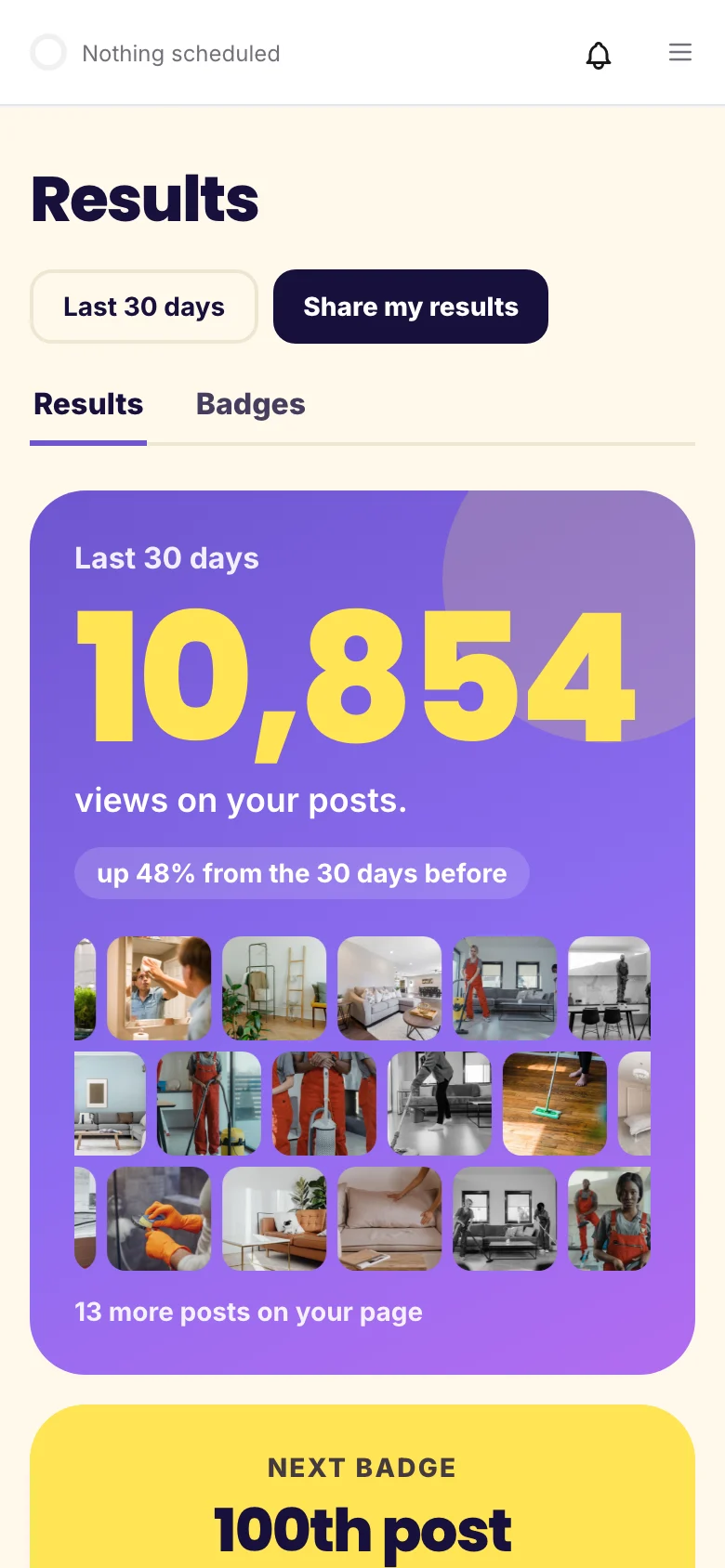
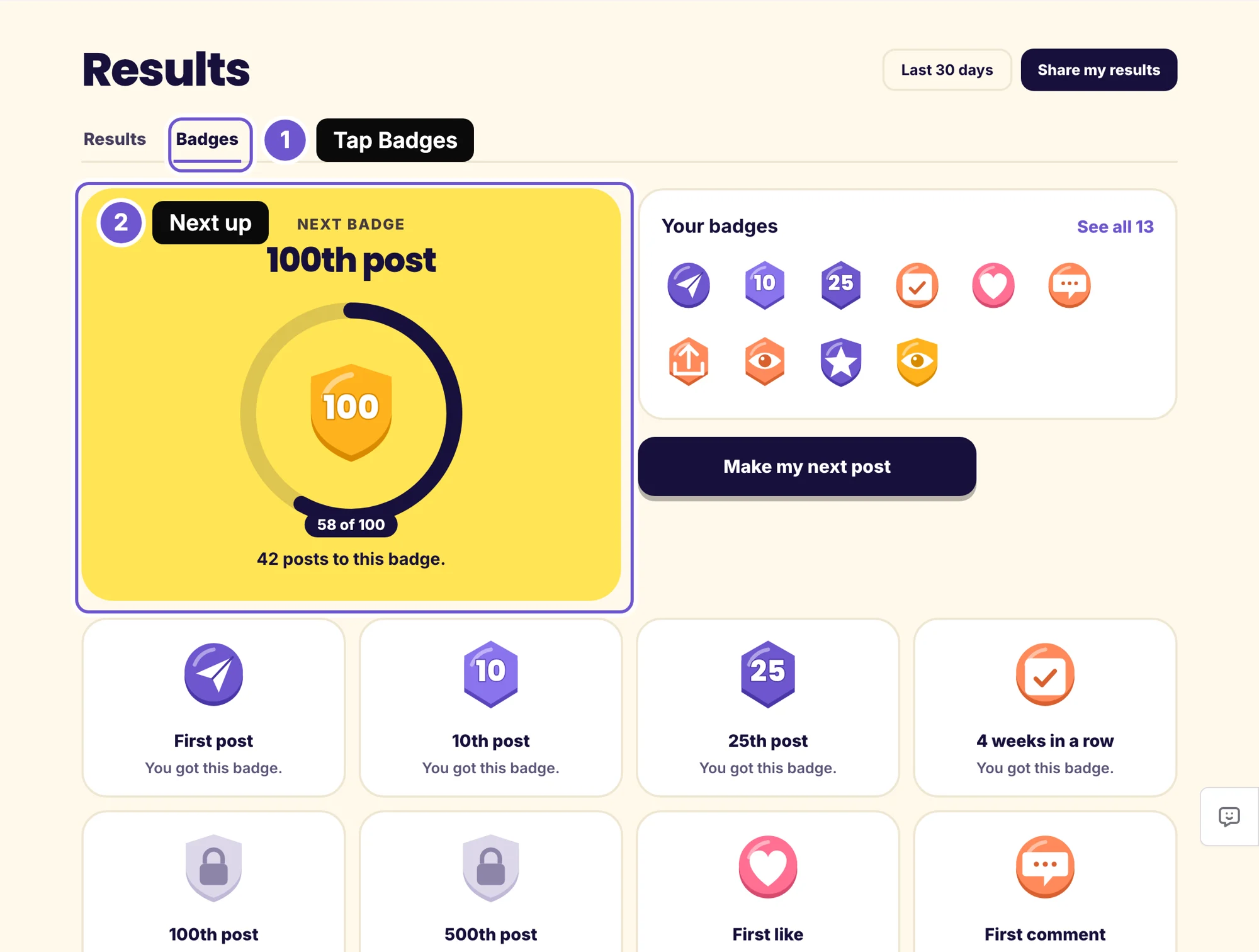
Tap Badges. You get a badge for your first post, your 10th post, 4 weeks in a row, your first like, and more. The big card shows the next one and how close you are.
4. Share it in one picture
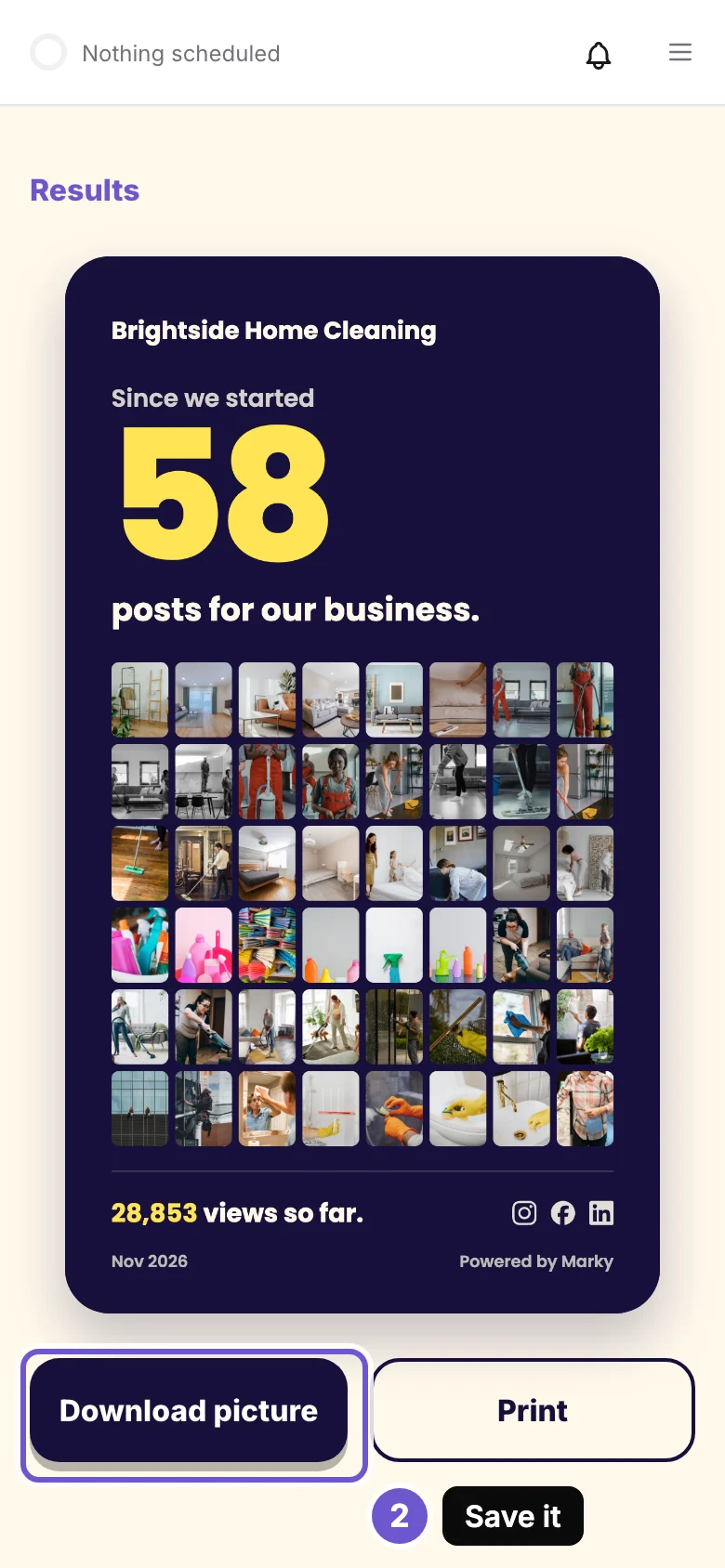
Tap Share my results. You see one picture with your business name, how many posts you have made since you started, a wall of your post pictures and your total views. Tap Download picture to save it. Post it on your socials, or send it to your team or a client.
Good to know
- The numbers come from the socials you connected. YouTube is left out of the view count.
- The share picture counts every post you have made since you started, here and on your connected socials.
The screenshots show an example business.
Take the next step with Marky
Building a successful business in today's digital world requires the right tools and strategies. Marky simplifies the social media process, allowing you to focus on delivering exceptional results.
Ready to streamline your process and grow your business? Visit our landing page to learn more about how Marky can transform your social media strategy today.
Keep reading


Let's do this
Join millions and start posting on-brand content with Marky today.