Pick a goal and watch your posting add up

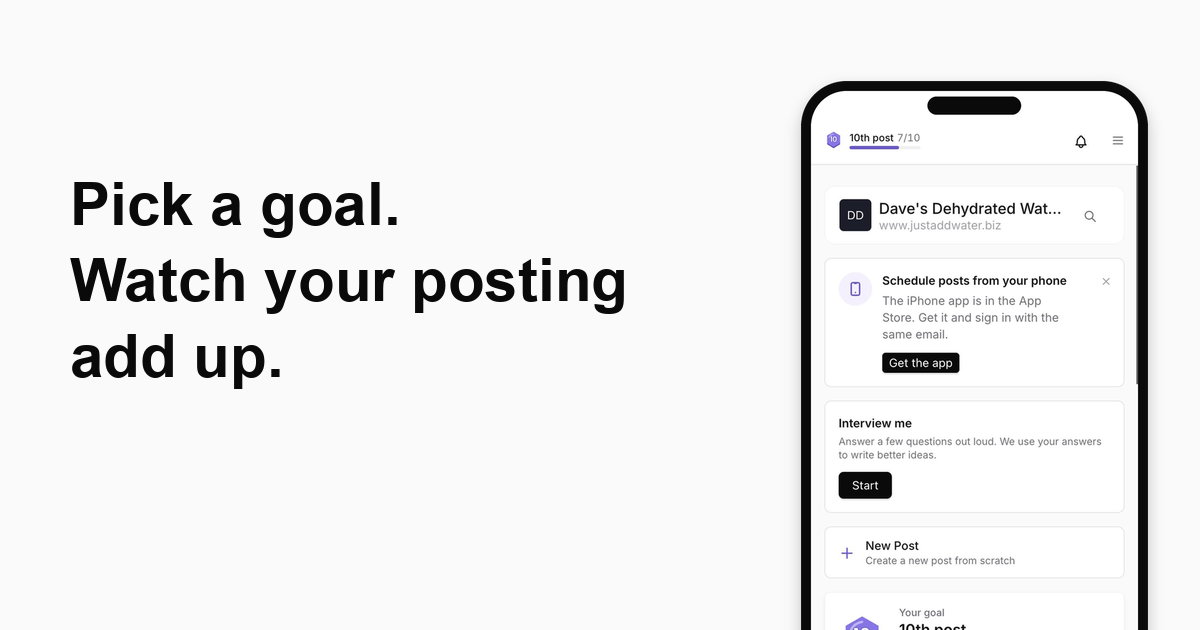
Who it's for: You run a local or service business, you post when you can, and you want to know it's adding up to something.
What you get
One goal at a time, with a progress bar you can see on your Home screen and at the top of every screen. Each post moves the bar. When you reach it, you get a moment to enjoy, and your next goal is ready.
How to use it
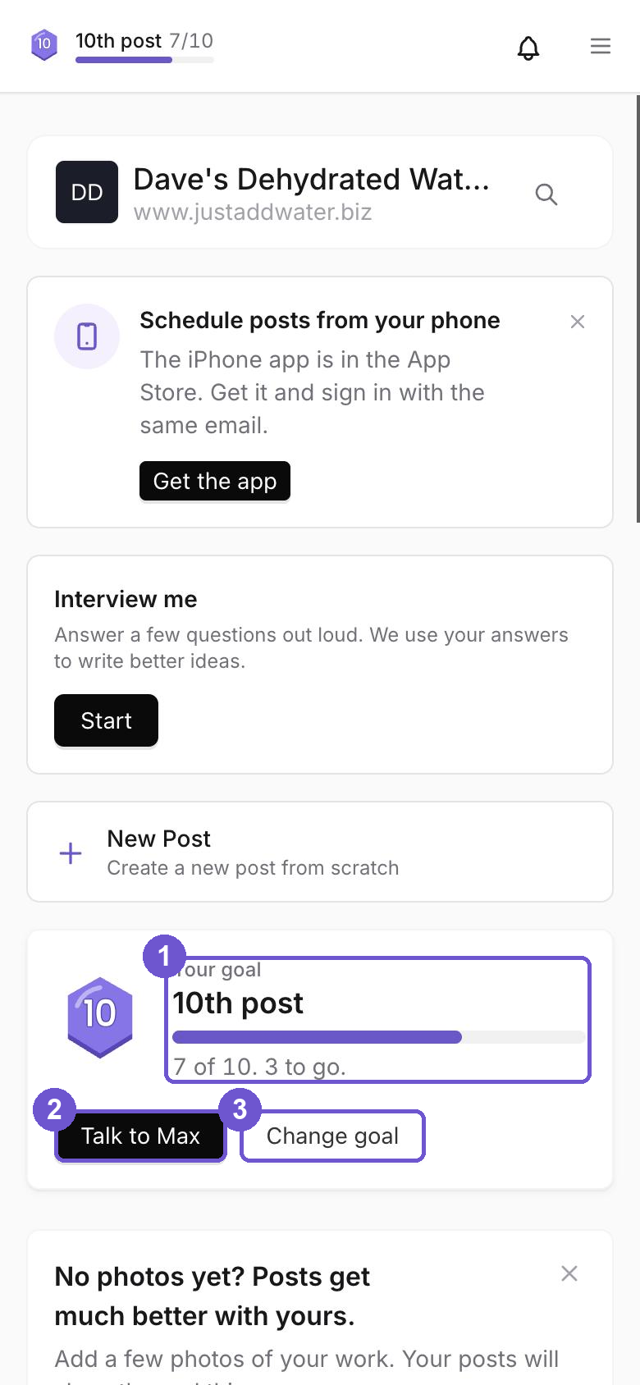
- Find your goal. On Home, your goal sits under New Post. It starts as the badge you're closest to. The bar at the top of the screen shows the same goal, and tapping it opens it.
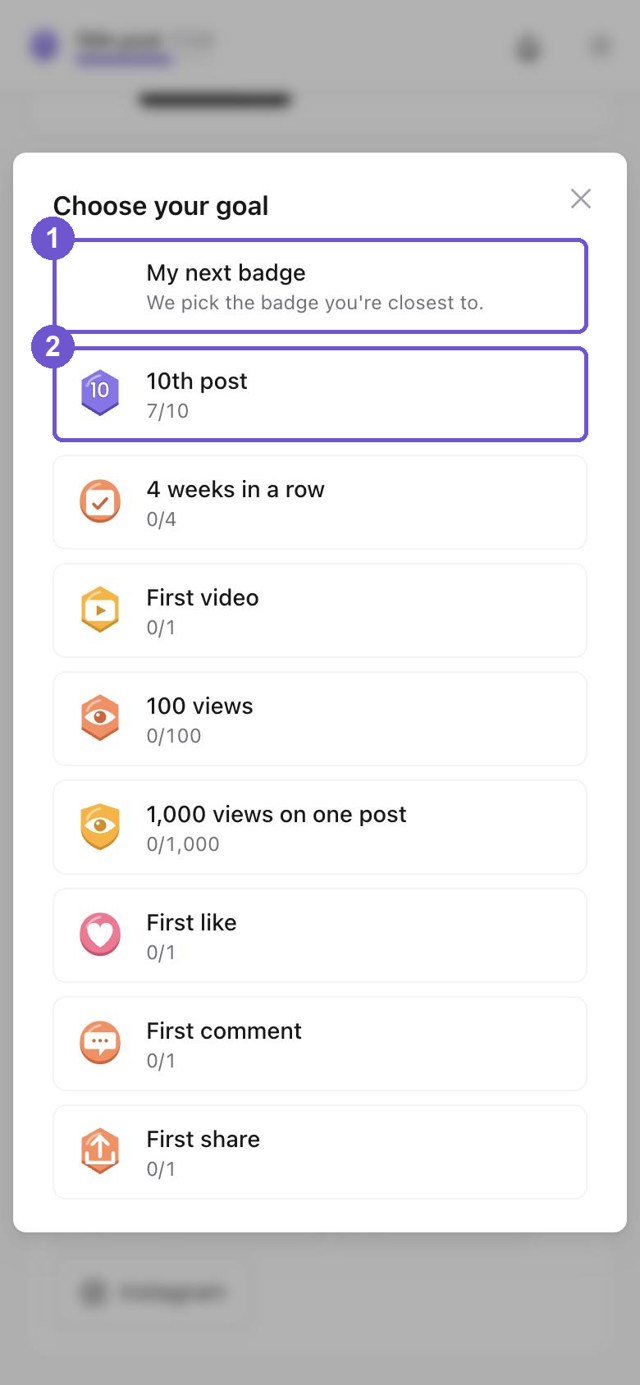
- Pick what you want to reach. Tap Change goal. Choose "My next badge" and we pick for you, or choose one kind: weeks in a row, your first video, 100 views, your first like.
- Post as you normally do. Every post that counts moves the bar. The card tells you how many to go.
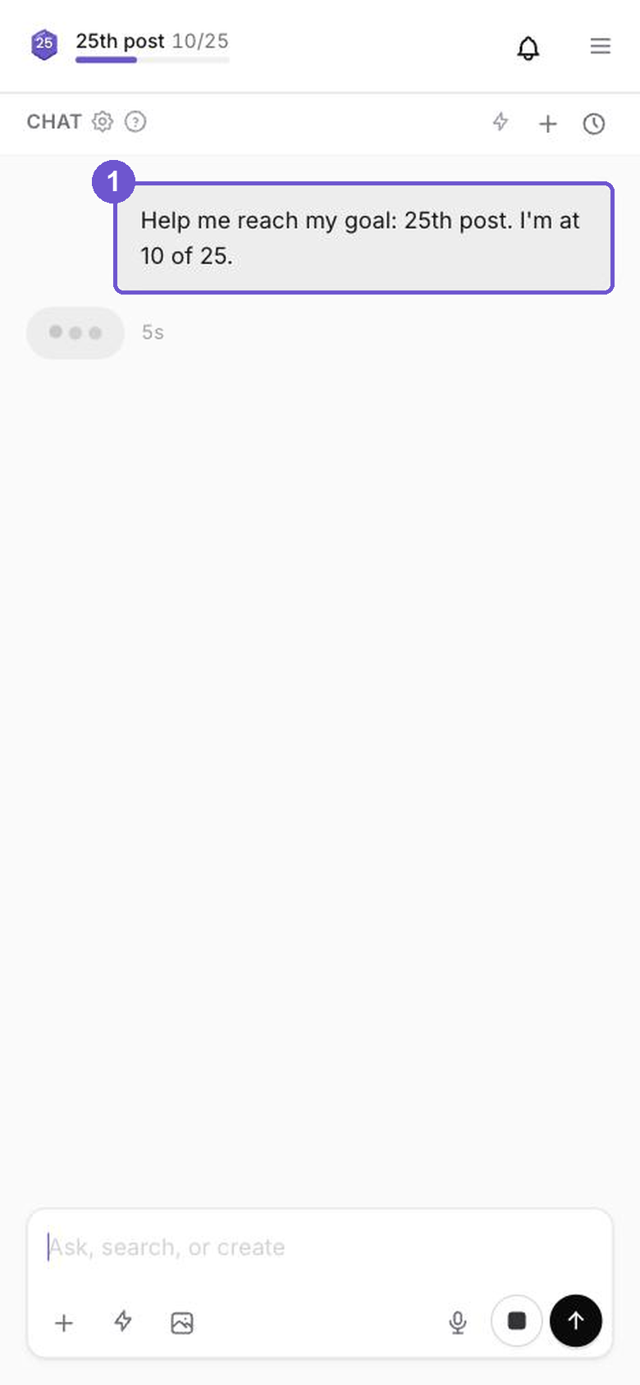
- Stuck? Tap Talk to Max. It opens a chat that already knows your goal and where you are, so you can ask what to post next.
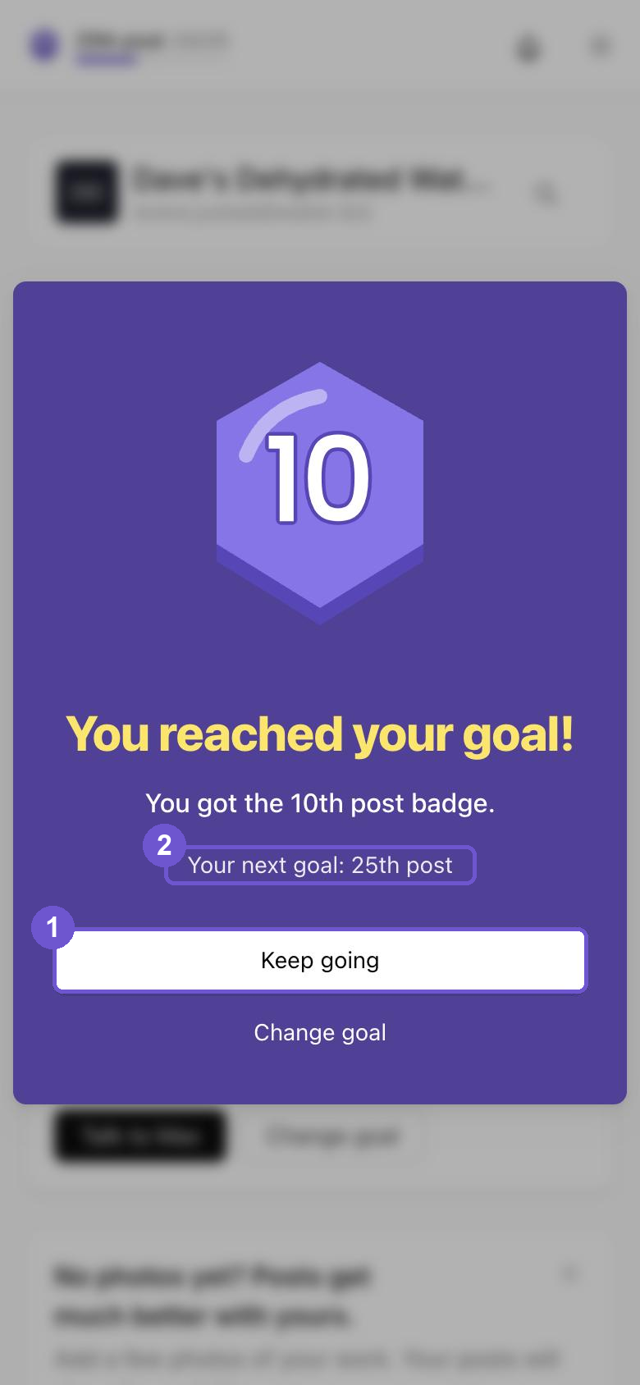
- Reach it. You'll see a "You reached your goal!" screen and your next goal. Tap Keep going, or Change goal to pick a different one.
On the iPhone app
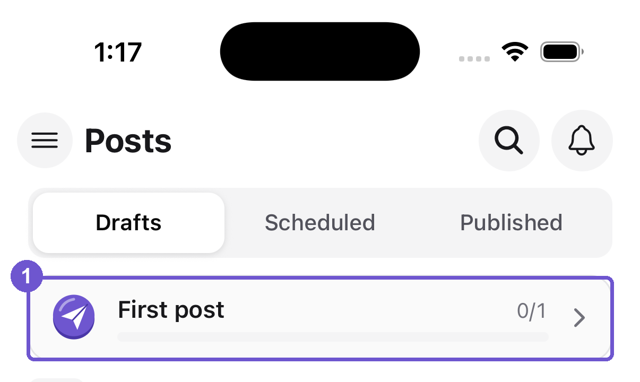
Your goal is the first row on the Posts tab, above your posts. Tap it to see your progress, change it or talk to Max.
Why it matters
- You can see your posting going somewhere, not just piling up.
- There is always one small next step.
- It's your goal. Change it any time.
The screenshots show an example workspace.
Take the next step with Marky
Building a successful business in today's digital world requires the right tools and strategies. Marky simplifies the social media process, allowing you to focus on delivering exceptional results.
Ready to streamline your process and grow your business? Visit our landing page to learn more about how Marky can transform your social media strategy today.
Keep reading
Let's do this
Join millions and start posting on-brand content with Marky today.