Schedule your whole week of posts in one tap

Who it's for: You run a local business. You made a week of posts, and now you want them scheduled so you can get back to work.
What you want
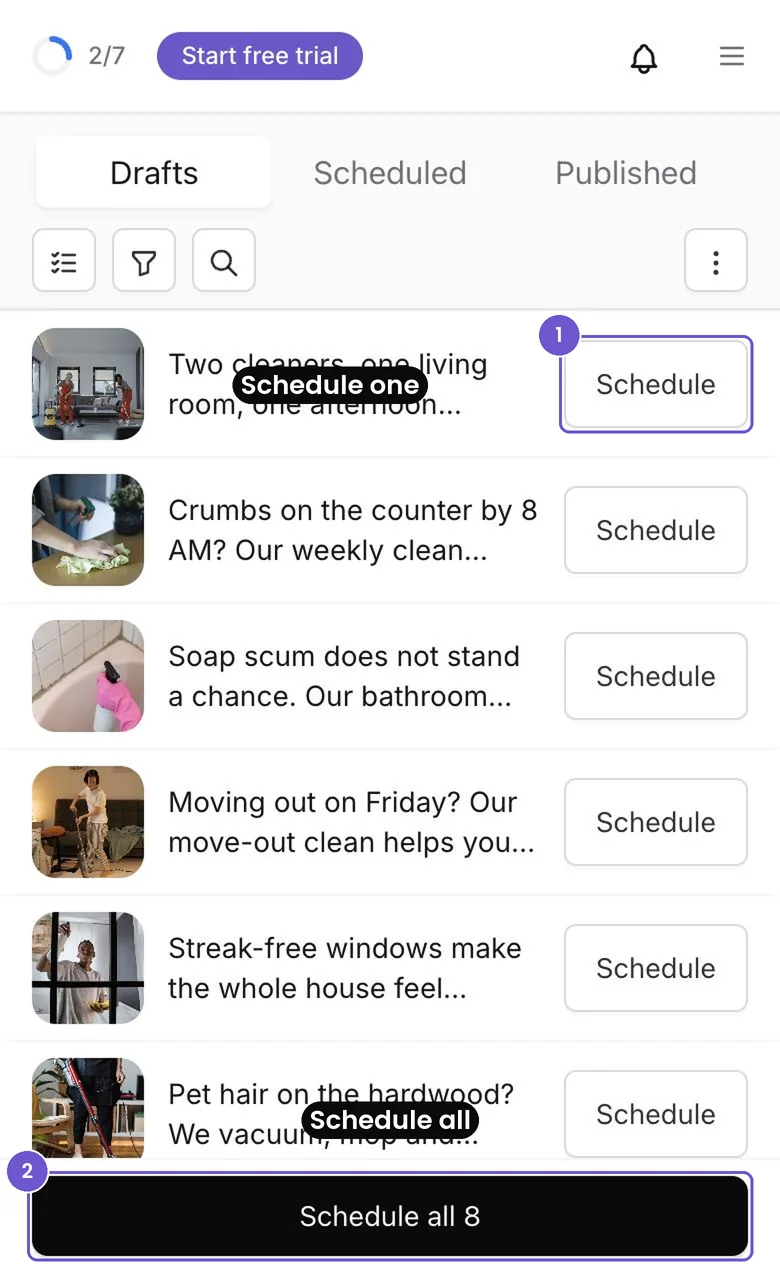
Eight posts are waiting in Drafts. You want all of them scheduled, without opening each one.
What's new
The Drafts tab now has a Schedule all bar at the bottom. Every draft also has its own Schedule button.
- Open Posts, then Drafts. The bar at the bottom shows how many drafts you have.
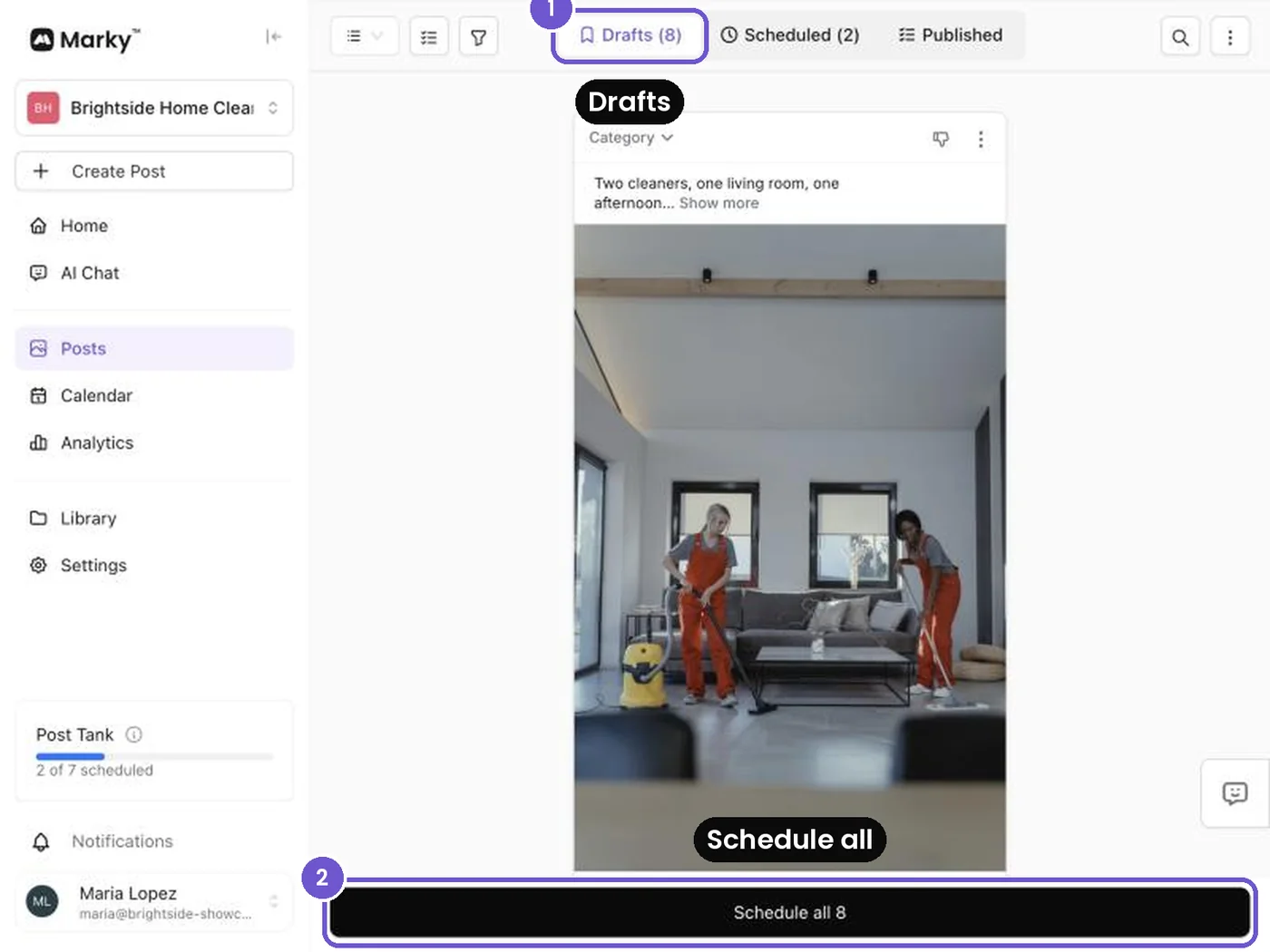
- Tap Schedule all.
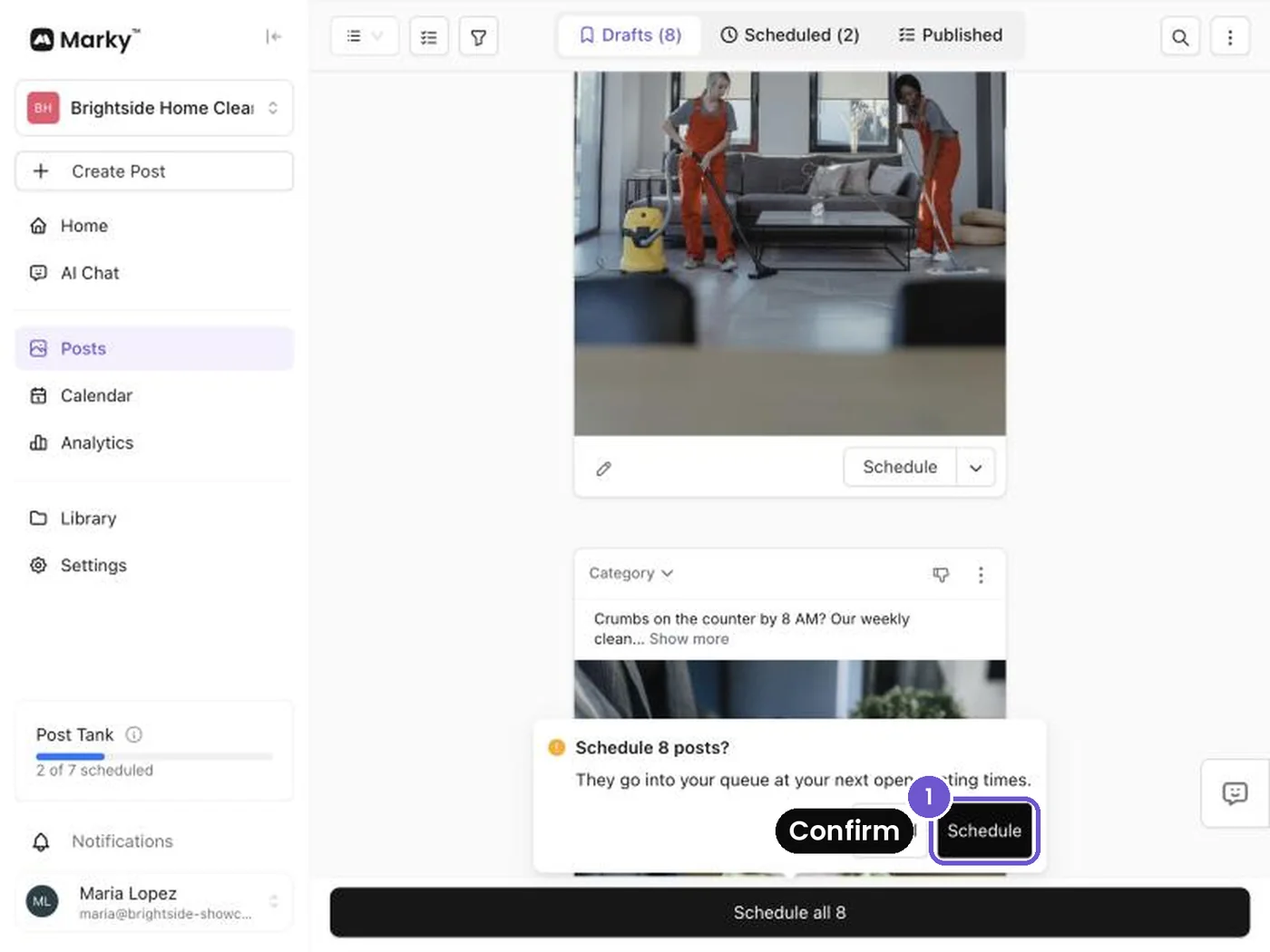
- Tap Schedule to confirm. Your posts go into your queue at your next open posting times.
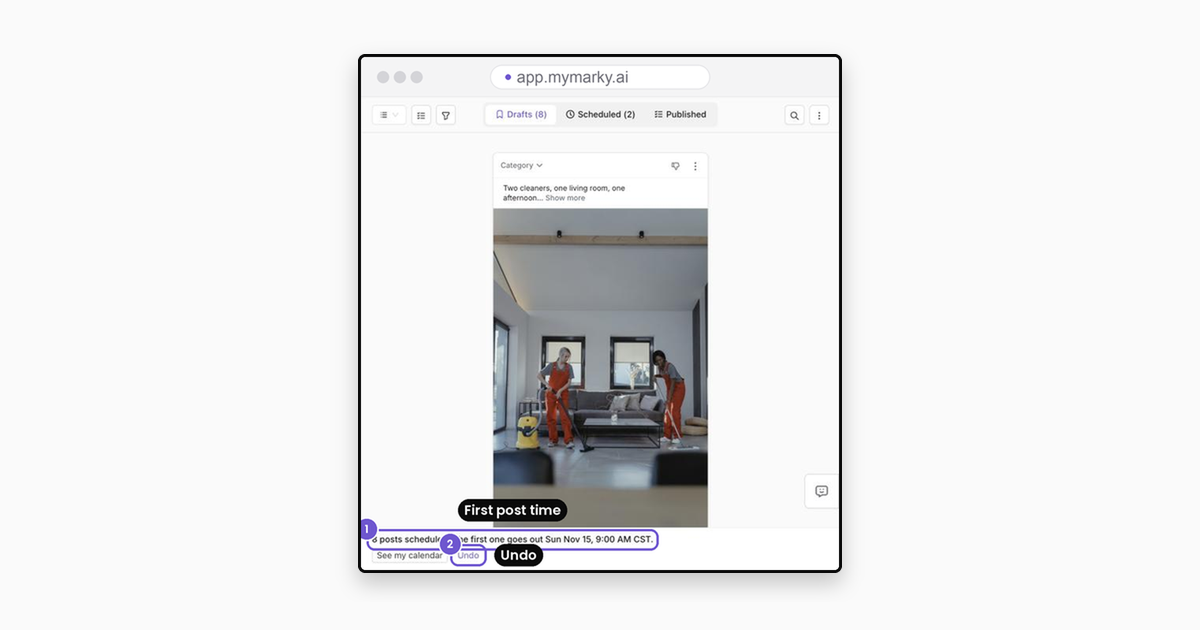
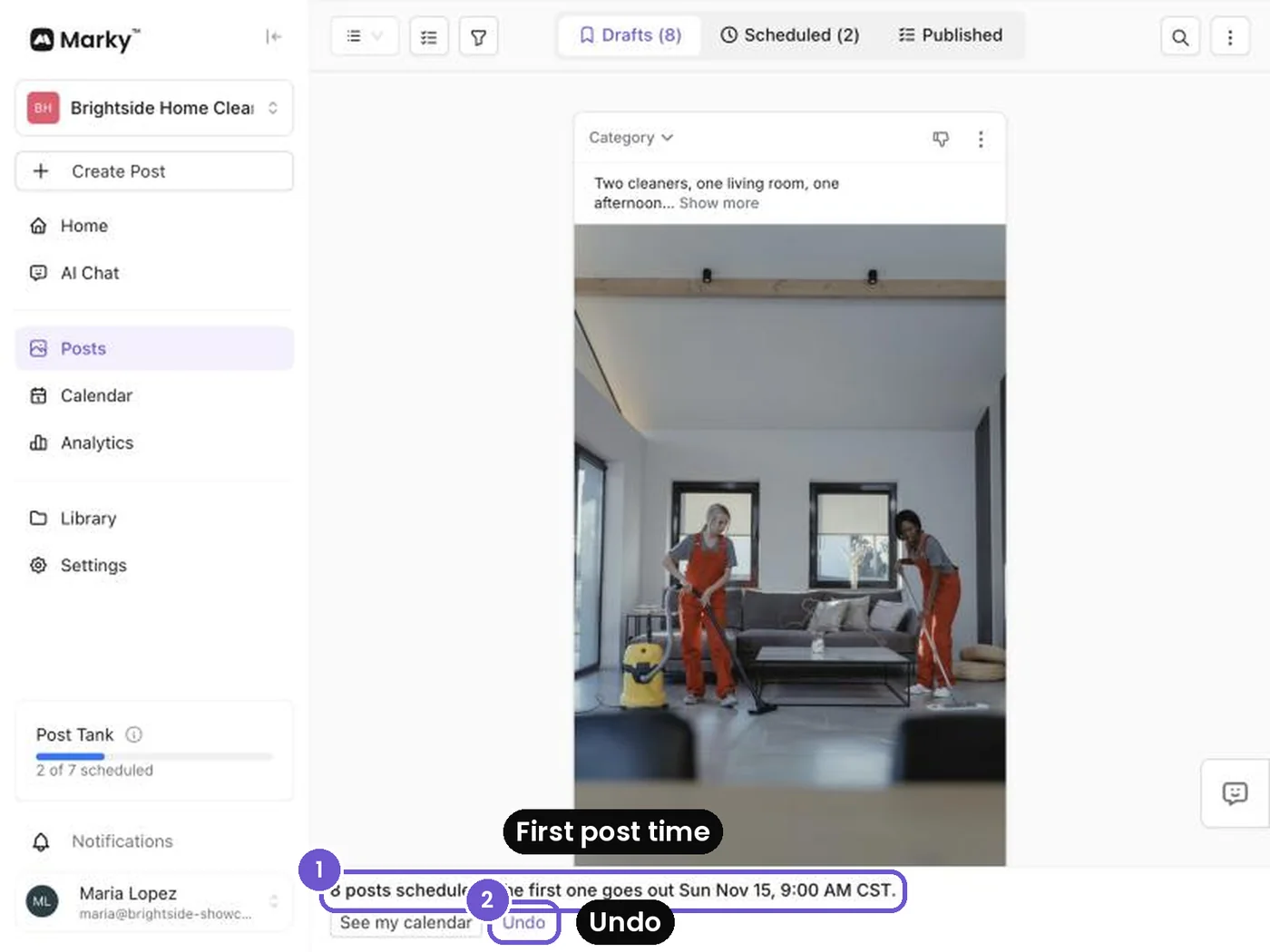
- A bar tells you when the first post goes out. Changed your mind? Tap Undo.
Just one post?
Tap the Schedule button on that post. On your phone, every row has its own Schedule button, and the Schedule all bar stays at the bottom.
Good to know
- You need at least one social connected. If you have none, Marky asks you to connect one first.
- If a connected social can't take a post, Marky tells you why, and that post stays unscheduled.
- The Schedule all bar shows up when you have 50 drafts or fewer.
- Dark mode works too.
Why it matters
- Your week is queued in one tap.
- You can still undo it.
- No more hunting for the schedule icon on every post.
Screenshots show an example workspace.
Take the next step with Marky
Building a successful business in today's digital world requires the right tools and strategies. Marky simplifies the social media process, allowing you to focus on delivering exceptional results.
Ready to streamline your process and grow your business? Visit our landing page to learn more about how Marky can transform your social media strategy today.
Keep reading
Let's do this
Join millions and start posting on-brand content with Marky today.