
You made your posts. Now you want them to go out on the right days without you posting each one by hand. Here is how to schedule them in Marky.
How to schedule a post
Step 1
Open Posts in the menu on the left. Your finished posts wait in the Drafts tab.
Step 2
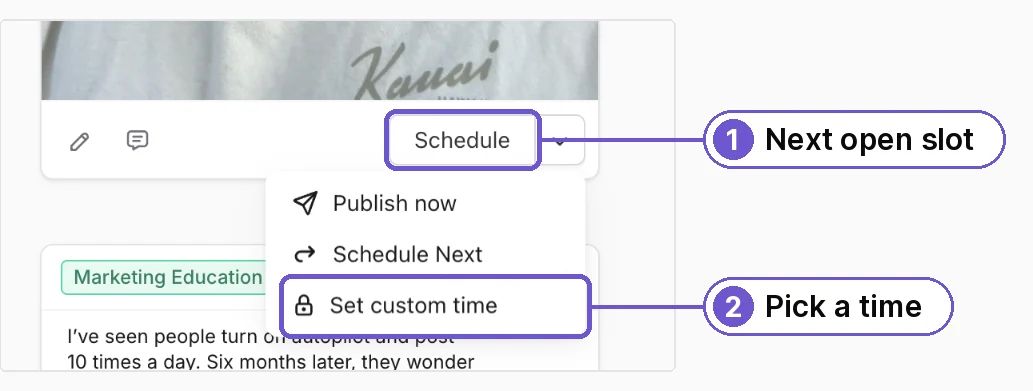
Under a post, tap Schedule. Marky puts it in your next open time slot.
Want a certain day? Tap the small arrow next to Schedule and pick Set custom time. Then choose the day and hour. Publish now sends it right away.
Step 3
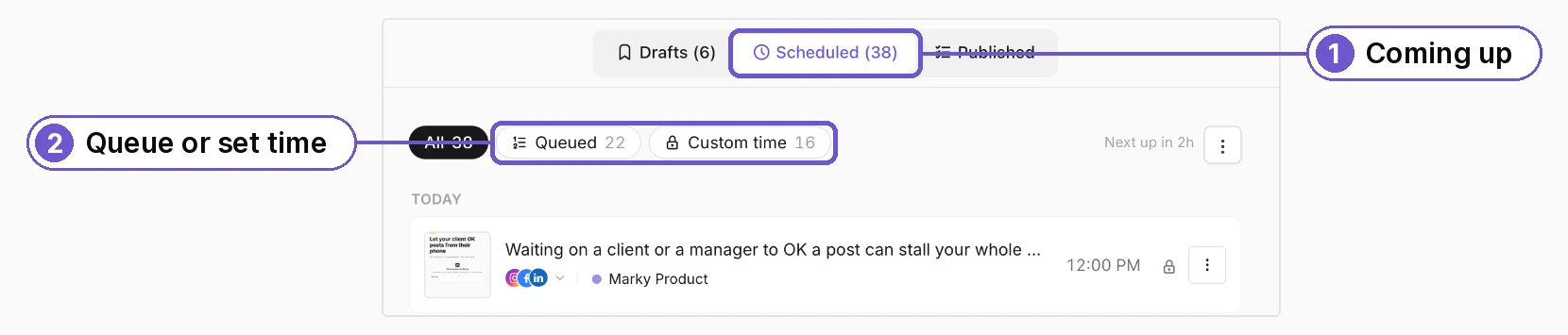
Open the Scheduled tab to see what is coming up. Queued posts go out in your regular time slots. Custom time posts go out at the time you picked.
Change your time slots
Go to Workspace, then Schedule, and tap Edit Schedule. Pick the days and times you want posts to go out. Queued posts follow these times.
What you get
Your posts go out on time, every week, while you are on the job.