
You run a cleaning business. It is 9 PM, you are planning next week's posts, and you can't remember how to set a post for Saturday. Support has gone home for the day. You can still get the answer yourself, in seconds.
How to get an answer
Step 1
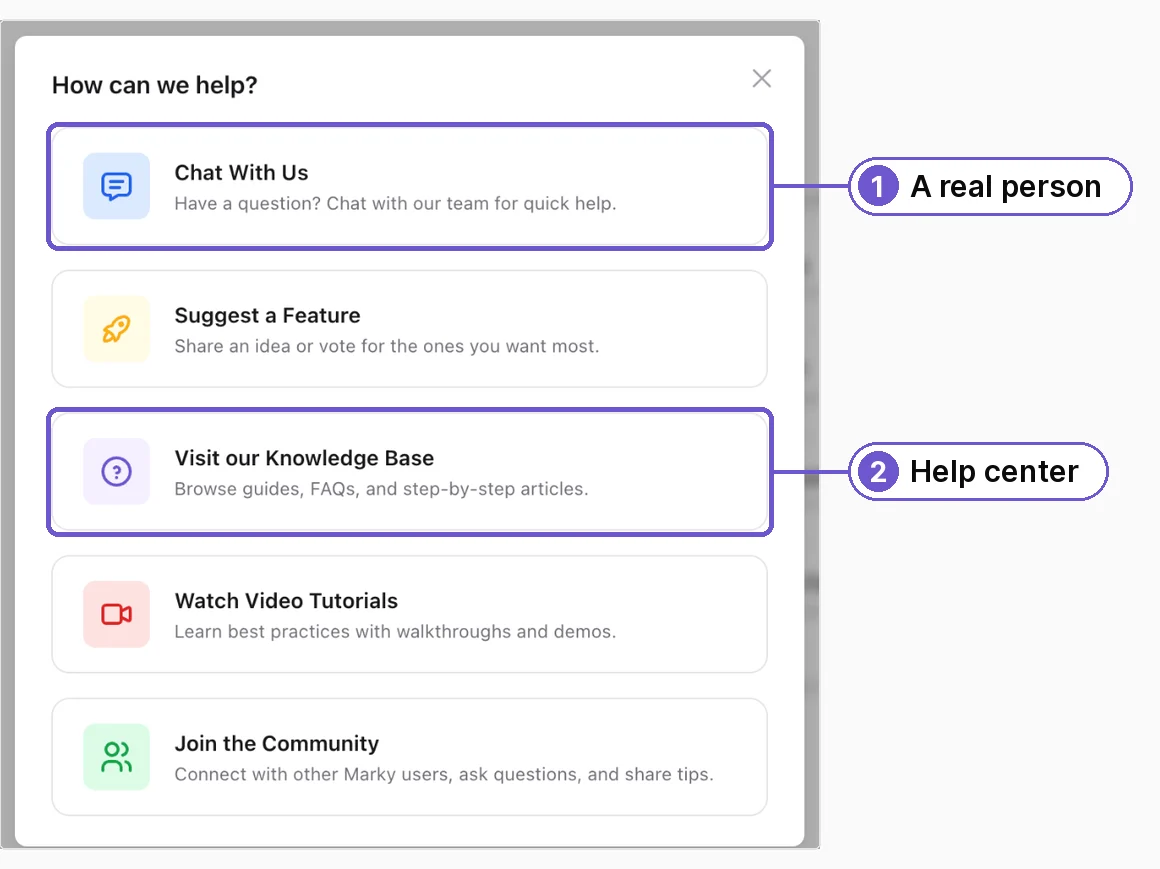
Go to mymarky.ai/help. Inside Marky, open the menu with your name at the bottom left, tap Get Help, then Visit our Knowledge Base.
Step 2
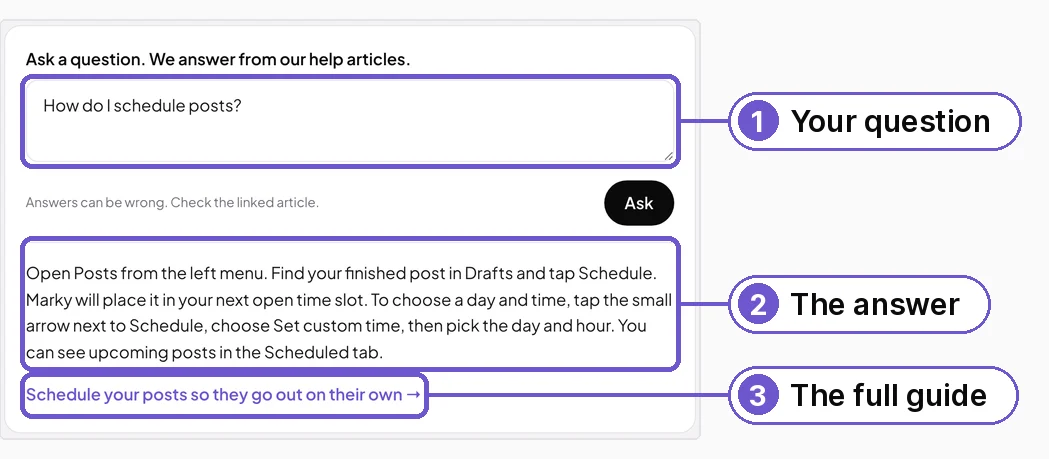
Tap Ask AI. Type your question in your own words, like "How do I schedule posts?", and tap Ask.
Step 3
Read the short answer. Tap the link under it to open the full guide, with a picture for each step. The answer only uses our own guides. If they don't cover your question, it says so and points you to a real person.
Or search the guides
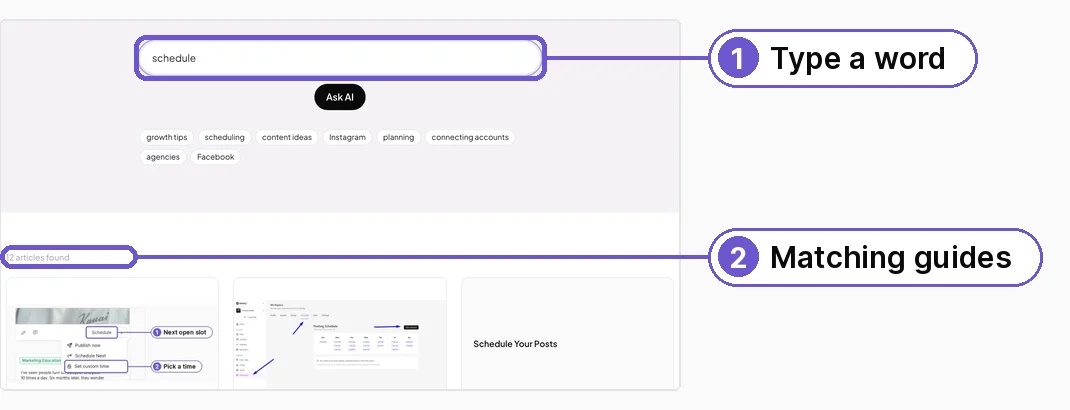
Type a word like schedule in the search box, or tap a topic like scheduling. You see every guide that matches, each with a picture.
What you get
An answer in seconds, any time of day, and the full guide one tap away. Still stuck? Tap Contact us at the bottom of the help center and a real person will help.