Go to pinterest.com and click on Sign Up. Enter your email or click Continue with Google.
Enter your birthdate and click Create Account.
On the Welcome screen, click Next and fill out the required Gender, Language, and Location info.
Choose 5 interests and then click “Meet Your Home Feed.”
How to create a Pinterest Board
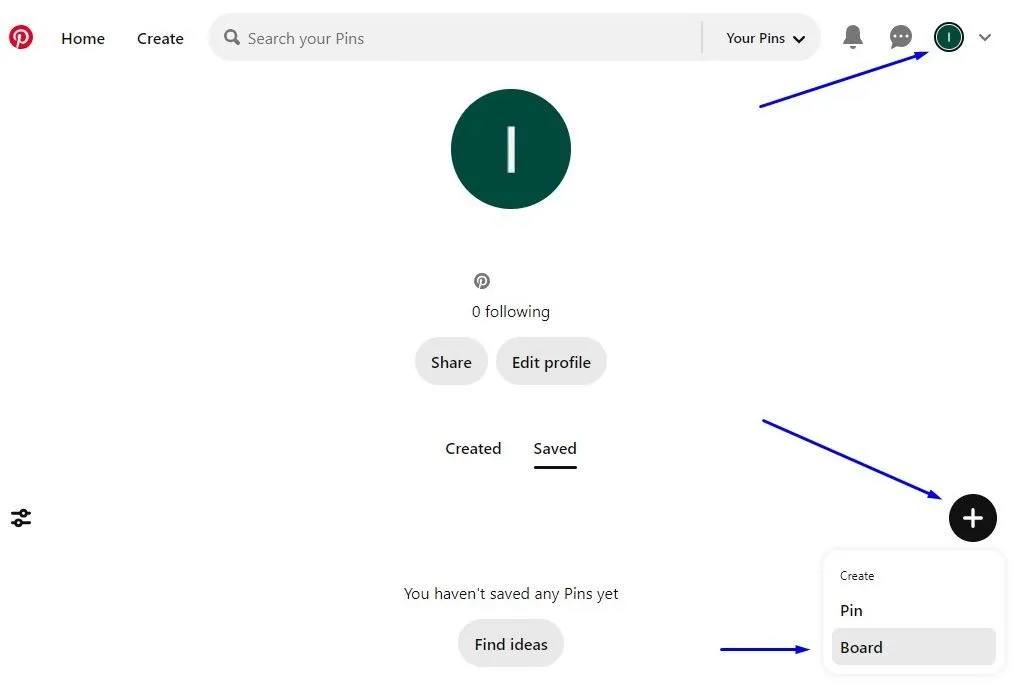
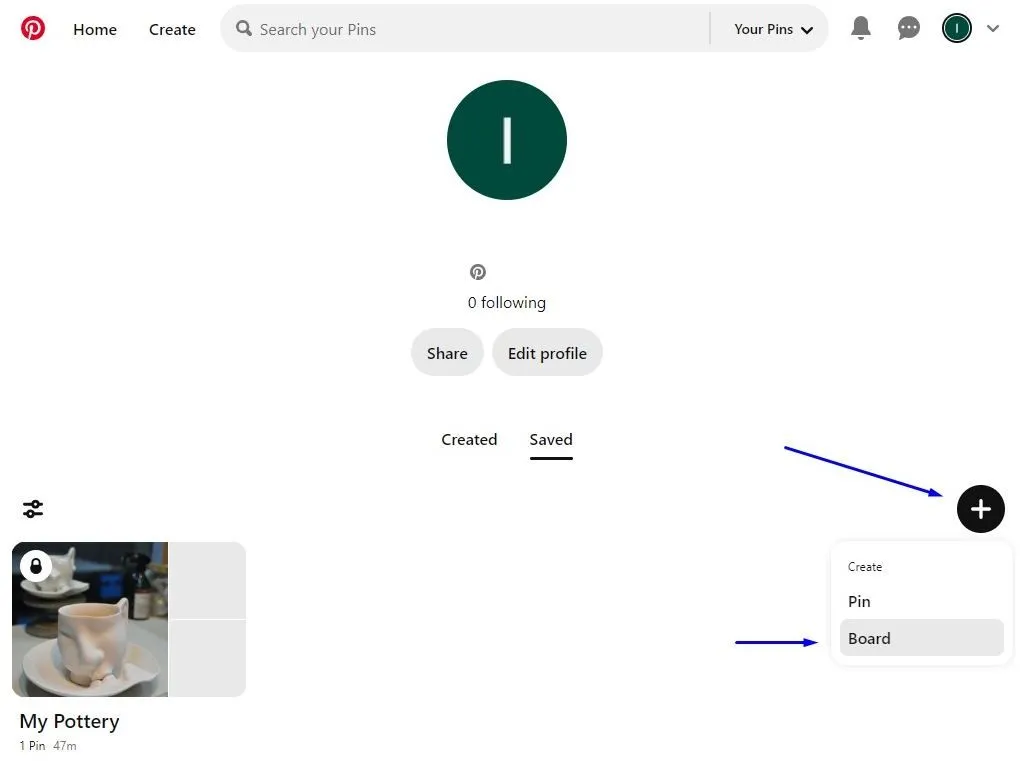
On your Pinterest page, click your profile, then the “Plus Sign,” and choose “Board.”
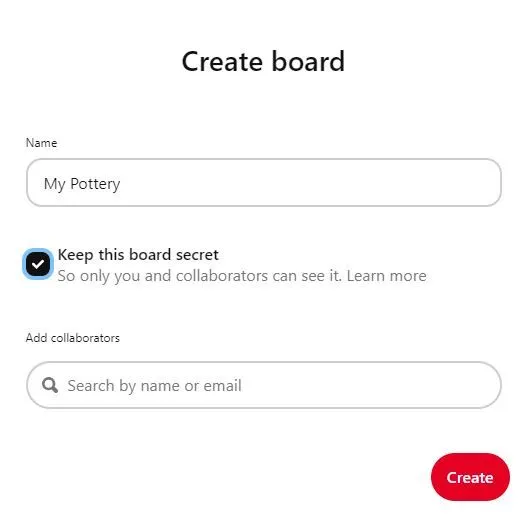
Name your board and choose whether you want it to be public or private (Keep this board secret). Note: Only you and anyone you invite can view your private boards.
Next, save some pins and click Done when finished.
Repeat the steps to add more Pinterest boards.
Still stuck?
Ask a question, or send us a message. A real person will help.