What Photos Should You Upload to Your Library?
Uploading the right photos to your Library helps Marky create better social media graphics for your posts.
High-quality photos make your posts look professional, authentic, and engaging.
The best images usually fall into three simple categories:
- People
- Places
- Things
Uploading a mix of these gives Marky more options when creating your post designs.
1. Photos of People
Photos of people help make your brand feel more personal and relatable.
Examples of good images:
- Team members working
- Staff portraits
- Customer interactions
- Behind-the-scenes moments
- Employees helping clients
- Service demonstrations
These types of photos work well for:
- Team highlights
- Educational posts
- Behind-the-scenes content
- Customer stories
✅ Good Image Example
Clear photo of a real person working. Authentic photos help posts feel more relatable.

2. Photos of Places
Photos of places help show where your business operates.
Examples include:
- Your office or clinic
- Storefront or business location
- Job sites or work locations
- Waiting rooms or reception areas
- Local landmarks near your business
These photos help your audience visualize your environment and brand.
✅ Good Image Example
Photos of your workplace help audiences connect with your business.

3. Photos of Things
Photos of things highlight what your business does or provides.
Examples include:
- Tools or equipment
- Products you sell
- Work in progress
- Finished projects
- Technology or instruments used in your work
These images are great for:
- Educational posts
- Service highlights
- Before-and-after examples
- Demonstrations
✅ Good Image Example
Images of tools, products, or finished work help explain what your business offers.

Photo Ideas by Industry
Here are examples of images that work well for some common industries.
Health Care
Recommended photos:
- Doctors or nurses assisting patients
- Staff consultations
- Medical equipment
- Treatment rooms
- Wellness activities
These images communicate care, professionalism, and trust.
Financial Services
Recommended photos:
- Advisors meeting with clients
- Team collaboration
- Office workspace
- Planning discussions
- Professionals reviewing documents
These photos emphasize expertise and guidance.
Home Services
Recommended photos:
- Technicians working on projects
- Before and after job photos
- Tools and equipment
- Team members on site
- Completed work results
These images highlight real work and results.
Good Image Examples
People
Example:
A clear photo of a team member helping a client.
Why it works:
- Clear subject
- Good lighting
- Authentic moment
- No text on the image
Good images make posts feel real and relatable.

Places
Example:
A clean photo of your office, clinic, or job site.
Why it works:
- Shows where your business operates
- Clean environment
- Professional appearance
This helps audiences visualize your business.

Things
Example:
A photo of tools, equipment, or finished work.
Why it works:
- Shows what you do
- Clear focus
- Easy to understand
These images help explain your services or products.

Images to Avoid
Some images do not work well in social media graphics.
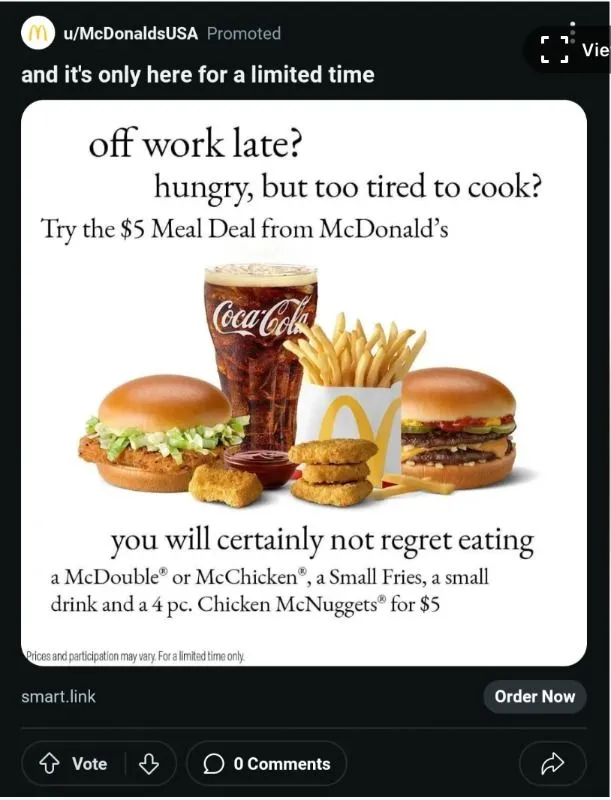
Images With Too Much Text
Examples:
- Flyers
- Promotional graphics
- Screenshots with text
Why to avoid them:
Marky adds text to your designs. Images with existing text can make posts look crowded or difficult to read.
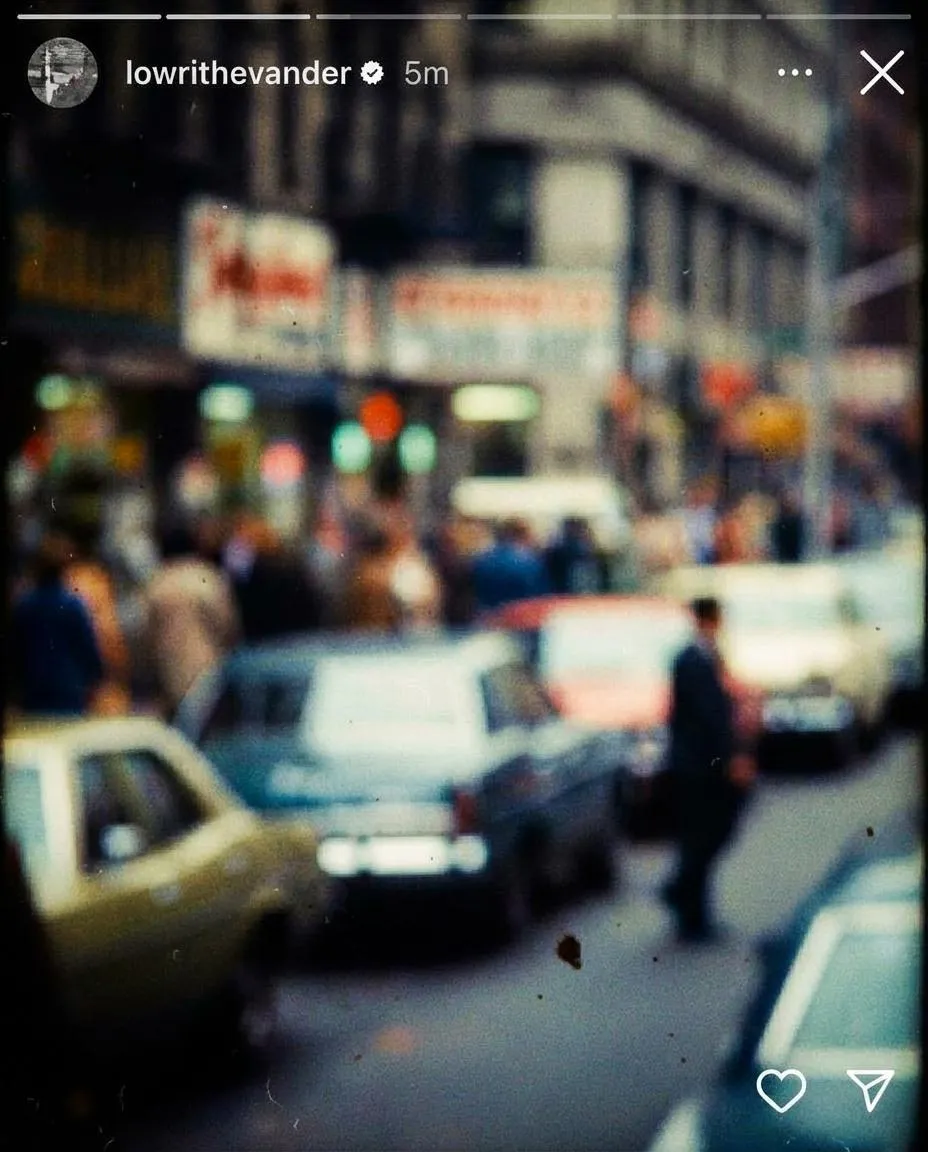
Low Quality Images
Examples:
- Blurry photos
- Pixelated images
- Dark or poorly lit photos
Why to avoid them:
Low-quality images can make your posts appear less professional.
Logo-Only Images
Examples:
- Square images containing only a company logo
Why to avoid them:
Posts usually perform better with real photos of people, places, or things instead of logos.

How Your Library Images Are Used in Marky
The photos you upload help Marky automatically generate graphics for your posts.
Your images may be used as:
- Background visuals for tips or quotes
- Images in carousel posts
- Graphics for educational posts
- Visual elements for announcements
The more high-quality photos you upload, the more variety Marky has when creating your content.
Quick Image Guide
Upload more of these:
- People working
- Business locations
- Tools or products
- Work in progress
- Finished projects
Avoid uploading:
- Images with lots of text
- Blurry photos
- Screenshots
- Logo-only graphics
- Low-resolution images
✅ Tip: Try uploading 10–20 high-quality images related to your business. This helps Marky create better and more varied social media graphics.
If you have any questions or need further assistance, don’t hesitate to reach out! Happy posting!
Josiah, CEO