Schedule social posts from your own code: Marky for TypeScript, Python and n8n

Your app, your CRM or your blog already knows what to post. Now it can post it. We just shipped three official ways to drive Marky from code:
- TypeScript and JavaScript:
npm install mymarky - Python:
pip install mymarky - n8n: the
n8n-nodes-markycommunity node. No code needed.
Write a caption, add a photo, pick a time. Marky posts it to every account you connected.
Who it's for
- Agencies who want to post for every client from one script. One API key works for every workspace in your account.
- Developers who want their own app or website to schedule posts.
- n8n users who want posts to go out on their own when something happens, like a new blog post.
TypeScript: schedule a post with a photo
Node 20 or newer. Here is a full example. It finds your workspace, adds a photo from a link, then creates and schedules the post:
Every other part of the API is there too, with types, on marky.client.
Python: the same thing in Python
Python 3.11 or newer. Each API call is a function you import. Pass client=marky.client to it:
Every call has a normal and an asyncio version.
n8n: post without writing code
- In n8n, go to Settings > Community Nodes > Install.
- Type
n8n-nodes-markyand install it. - Add a Marky API credential with your API key (it starts with
mk_live_).
You get two new nodes. Marky can:
- Create a post, as a draft or already scheduled
- Schedule a post you made before
- Add a photo or video from a link
- List your workspaces, connected accounts and posts
Marky Trigger starts your workflow each time a post goes live.
What you can automate
- New blog post, new social post. An RSS trigger sees your new article. Marky creates the post and schedules it.
- A week of posts, every week. A Schedule trigger runs on Monday and loops over your ideas. Each one becomes a scheduled post.
- Tell your team when a post is live. Marky Trigger fires when a post goes out. Send it to Slack, email or a Google Sheet.
Turn on n8n's Retry On Fail without worry. A retry never makes a second post.
Get told when a post goes live
Set up a webhook and Marky calls your server each time a post goes out. One line checks that the call really came from Marky:
In Python it is construct_event(raw_body, request.headers, secret).
The boring parts are done for you
- No double posts. If a call fails, it tries again only when that is safe. A retry gets back the first post, not a new one.
- Slow down when asked. If you send too much at once, it waits and tries again.
- Clear errors. Each error has a name, like
NotFoundErrororRateLimitError, so your code knows what went wrong. - No surprise changes. Each version is locked to the API it was built for. Your code keeps working when we update the API.
The SDKs are built from the same public API spec as our API docs. So every call in the docs is in the SDKs too.
Get started
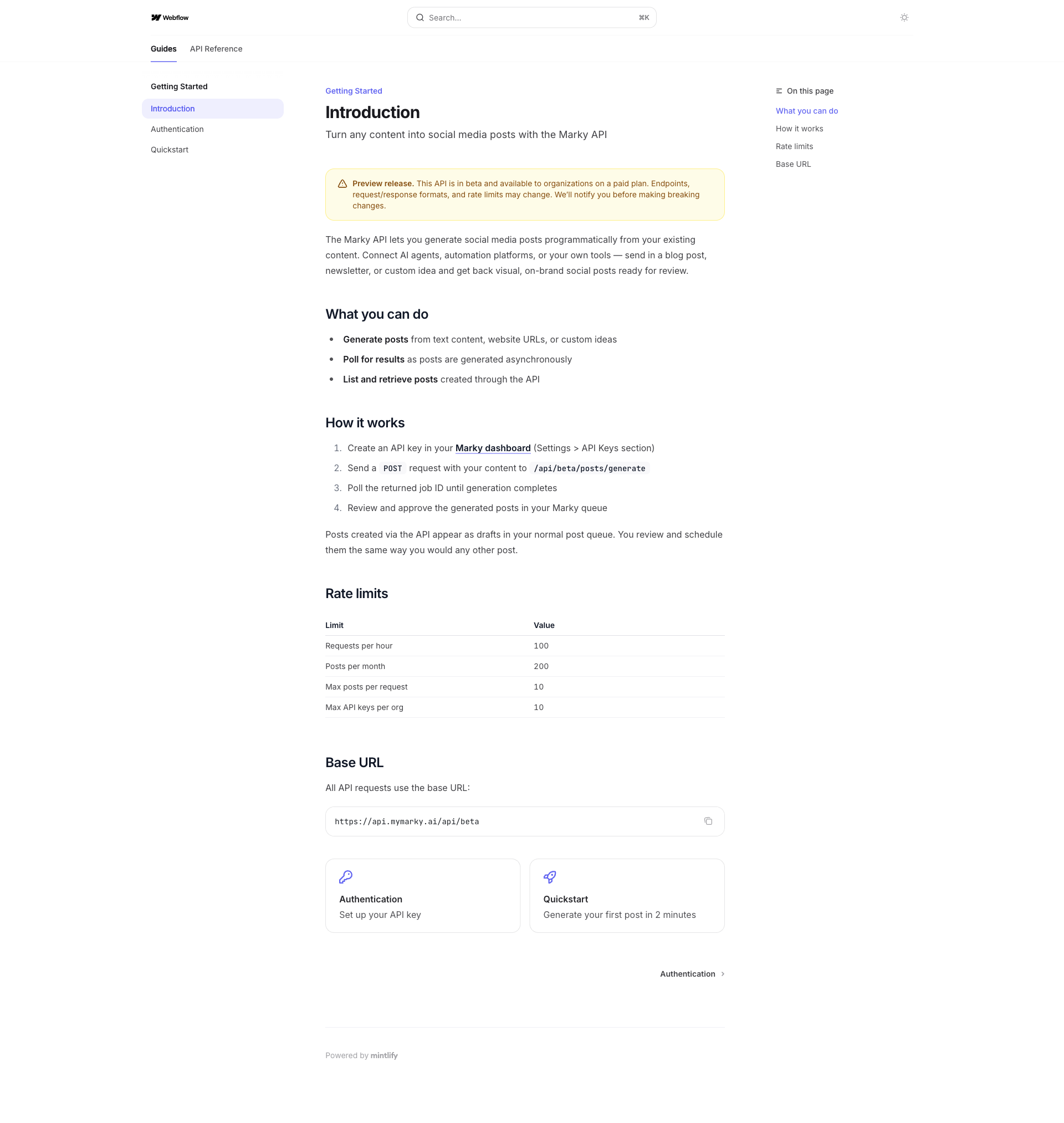
- Open Organization Settings > API Keys and create a key. You need to be an org admin.
- Install the package for your tool.
- Schedule your first post.
The API is free while it is in beta.
Questions? Reach out in the chat. We'd love to see what you build.
Take the next step with Marky
Building a successful business in today's digital world requires the right tools and strategies. Marky simplifies the social media process, allowing you to focus on delivering exceptional results.
Ready to streamline your process and grow your business? Visit our landing page to learn more about how Marky can transform your social media strategy today.
Keep reading

Let's do this
Join millions and start posting on-brand content with Marky today.